
RAC/M Identity™ is our simple and effective identity governance (IGS) solution that enables large and small enterprises to understand and manage the complex relationships between users and their access to physical and digital resources, on-premise or SaaS.

IMPORTANT IMPROVEMENTS
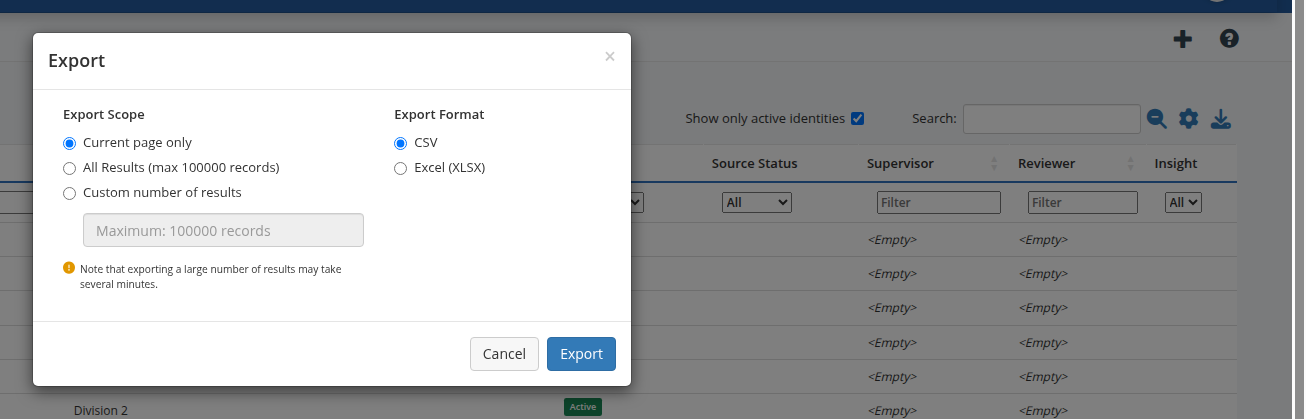
Export administration lists to CSV or Excel
List pages in the administration portal that use DataTables now include an action to export the current result set (respecting active filters) as CSV or Excel, making it easier to work with data outside predefined reports. #474

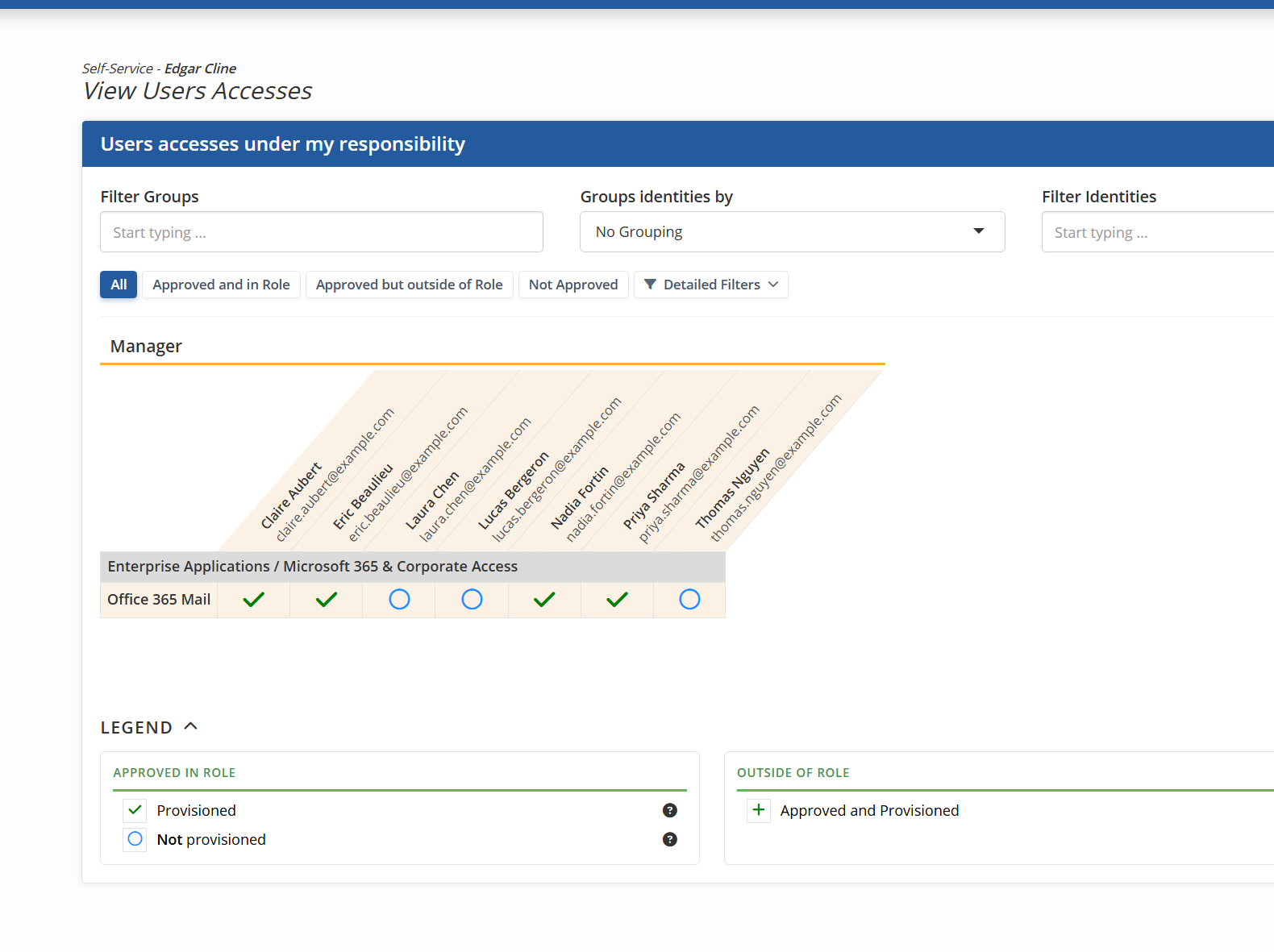
Self-service: matrix view of team members’ accesses
A new self-service screen shows a matrix of accesses and groups for identities the user is responsible for—similar in spirit to role campaign review grids—so managers can see how access is distributed across their team. #4190

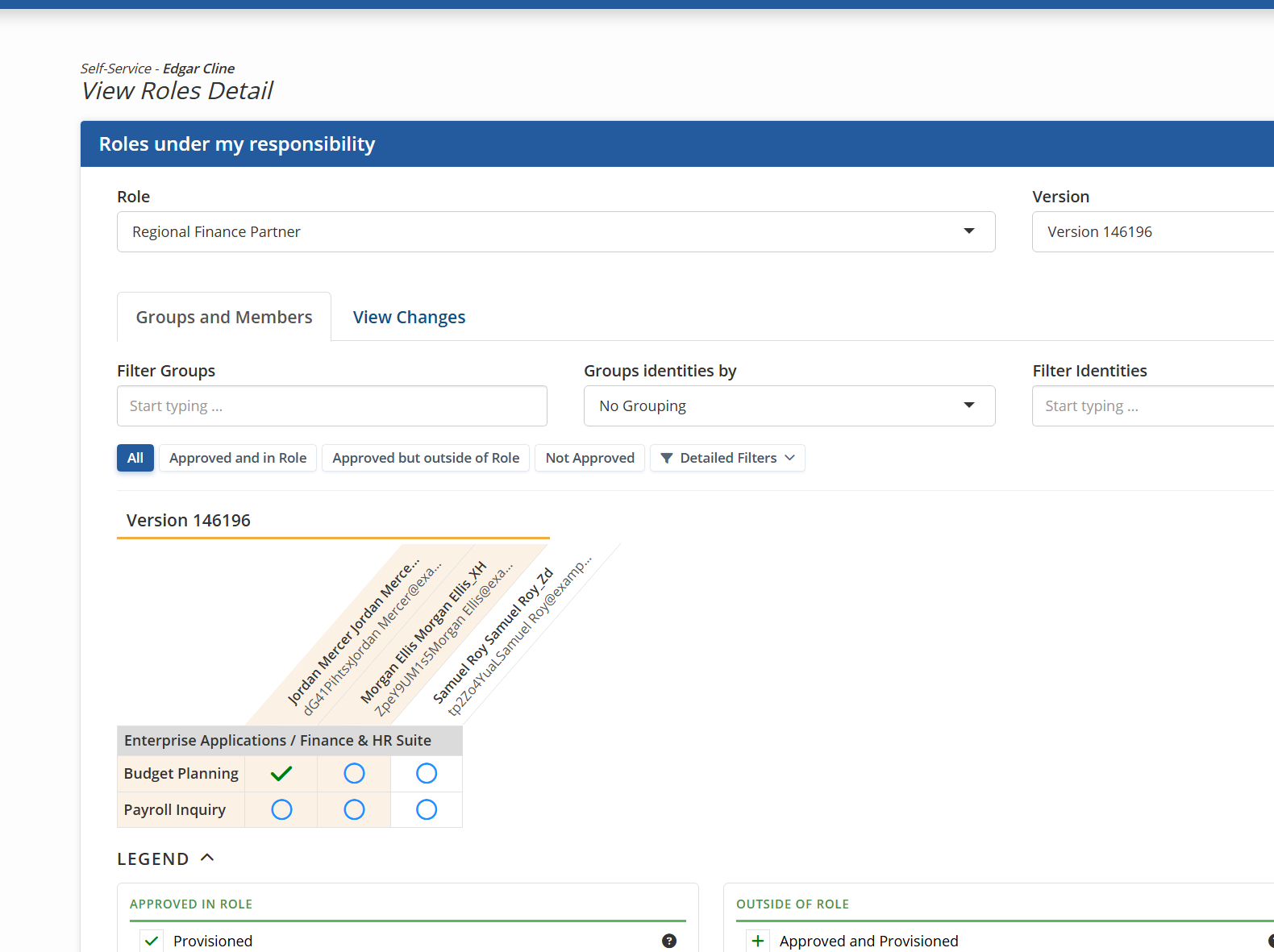
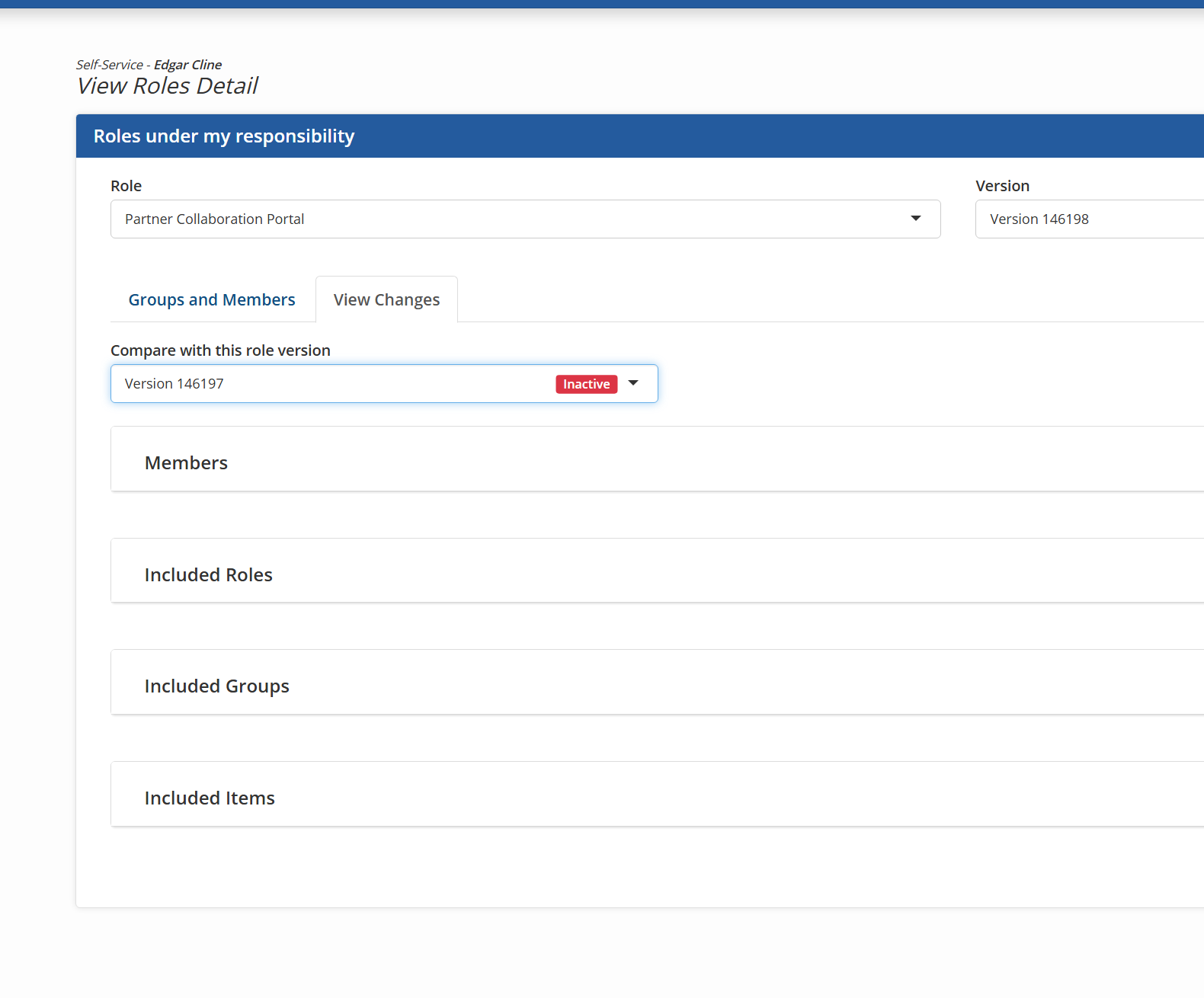
Self-service: role version detail
Role owners can open a dedicated self-service screen for a role version: choose which version to display, review the access matrix, and use panels that highlight differences versus the active version when reviewing a non-active version. #4194

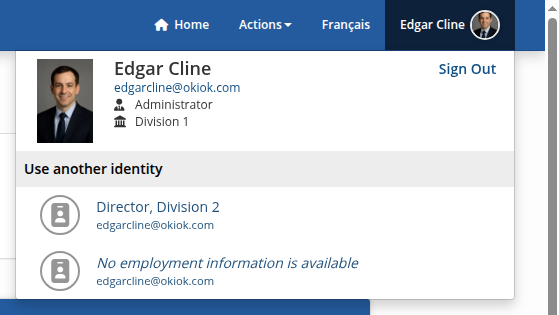
Top bar: clearer identity presentation, photos, and multi-identity selection
The signed-in user is presented more clearly in the top bar of both the administration portal and self-service, including round profile photos and contextual identity information where appropriate. When the external authentication account is linked to several identities, the user can select which identity is active for the session so governance, approvals, and tasks apply to the correct employment context. #4250 #4379

Jump to a specific page in long lists and campaign reviews
Pagination controls let users go directly to a chosen page instead of stepping page by page—both on DataTables in the product and in multi-page campaign review flows—so large volumes of items are easier to navigate. #4448 #4704


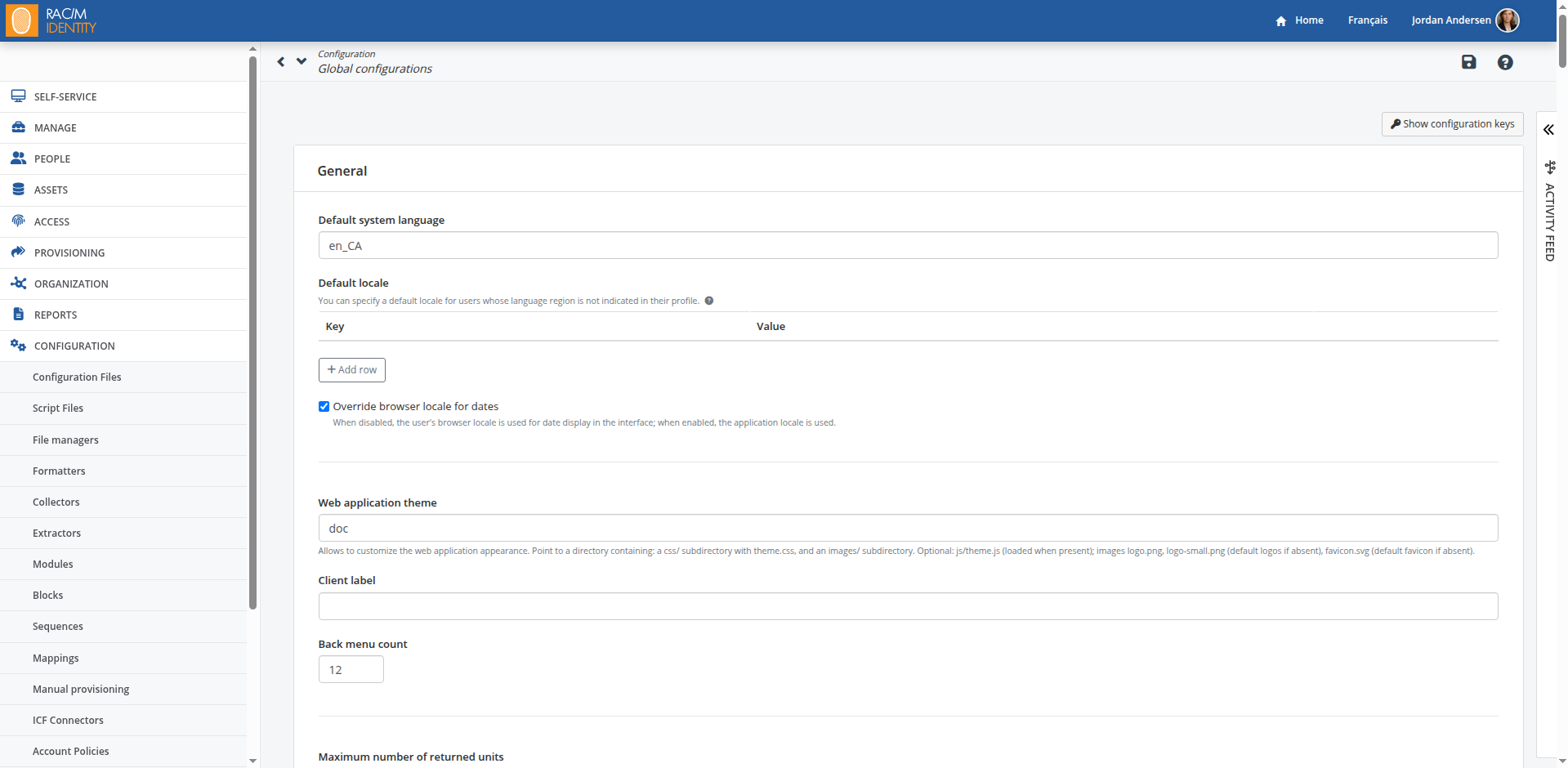
System configuration page
A dedicated administration page brings system settings together with clearer names and descriptions. Starting with this version, most settings that previously lived in config.properties are stored in the database; the first startup after upgrade migrates them automatically. See the migration guide for details and for what remains in the file. #4718

OTHER IMPROVEMENTS
- Confirmation when deleting an ICF connector still referenced by a collector. #2041
- The “Assets / Delegation groups” panel is moved under the People menu in the administration portal. #2943
- Virtual “Expired” status on access review campaign detail pages. #3142
- Theme system improvements and a JavaScript extension point for customization (#3826, #4431): optional js/theme.js; optional images/favicon.svg.
- Consistent “Self-service” wording in the self-service UI. #3882
- Administration lists linking groups and role hierarchy (#3977): roles associated on group detail; parent roles in hierarchy on role version detail.
- Job title column in campaign result reports (PDF and Excel). #4234
- Warning on role version detail in administration when a dynamic role has no member assignment criteria. #4331
- Campaign-related audit references for provisioning. #4346
- Automatic refresh of role modification request detail in administration after approval. #4355
- Display of role creation date. #4364
- Contextual help for multiple identities in self-service. #4474
- Hover behavior adjustments in the top bar. #4477
- Help for hierarchical search of asset groupings, assets, and groups. #4486
- Improved role and group search in the role modification request. #4487
- Clearer labels for directory service log messages. #4509
- Improved help labels in self-service requests. #4521
- Extra information in the role version selection list. #4608
- Tooltips associated with the grid in access management. #4610
- Removed “Authentication required to complete campaign” from advanced access review campaign configuration; system setting “Allow authentication required selection” can show it again when needed. #4637
- Column filters in tabular lists: sustained display and open by default (#4652, #4659).
- ModuleRunNativeScript: rotate script log file before each run (numbered archives) and optional cap on retained log files. #4689
- Tooltips on “Duplicate role” and “Duplicate role version” on role version detail to explain the two modes. #4716
FIXES
- Column alignment for “asset grouping” and “asset” in the accounts-by-asset report. #2113
- SQL extraction module when the query returns only one column. #2129
- Approver display on task bubbles when the request target identity is also a member or owner of the approval group. #2873
- Email language when cancelling group provisioning. #3033
- Self-approval when the requester is the only member of the delegation group handling approval (provisioning workflows). #3149
- Audit ordering when creating an identity for correlation. #3237
- Target account termination under concurrent requests removing all groups. #3276
- Saving a campaign: “Designated certifier” mode no longer reverts to “Campaign manager.” #3318
- RAC/M Identity users page: profile assignment uses permission comparison instead of numeric profile id, correcting display and privilege-escalation checks. #3914
- Empty email body in some campaign report cases. #4088
- CSV data collection module (update or insert). #4151
- Date column display in the operational issues list. #4215
- Exception when creating a self-approved task in some scenarios. #4251
- Missing status label for “undefined” in the identity list. #4357
- Role duplication preserves modeling session information. #4429
- Authentication: login blocked when the identity is not active. #4478
- Campaign email progress calculation includes pre-approved items. #4496
- Identity context for the requested identity (SSO and SAML). #4523
- Behavior of a disabled asset during provisioning. #4592
- Visual appearance of the role comparison control. #4607
- ICF account provisioning: existing target account turns create into modify; RAC/M repository update on account modify before application account link. #4695
- Campaign submission when the identity has been removed. #4736
Breaking change
The scripted-api-connector.jar connector in version 1.23.0.0 is not compatible with RACM 3.20 because this connector uses an old version of Groovy (4) which is not compatible with Java 25. Furthermore, since Groovy 5 is stricter about script syntax, the Groovy scripts must also be updated.
1. Procedure to update the Groovy scripts
You must ensure that enums end with a semicolon. They can no longer end with a comma.
Before
enum OracleFusionLocationAttribute implements ScriptedAPIAttribute<JSONObject, RESTObjectClass>
{
    LOCATION_ID("LocationId"),
    LOCATION_NAME("LocationName"),
After
enum OracleFusionLocationAttribute implements ScriptedAPIAttribute<JSONObject, RESTObjectClass>
{
    LOCATION_ID("LocationId"),
    LOCATION_NAME("LocationName");
2. Update procedure for the scripted connector
-
Delete all files from previous versions of the scripted connector:
scripted-api-connector-*.jar (1.16, 1.23.0, etc.) -
Place the new version of the connector in the appropriate folder:
ICF/server/connectors/scripted-api-connector-1.23.0.2.jar -
Create the folder ICF/reference-scripts/scripted-api-1.23.0.2 and copy the scripts updated in step 1 into it.
-
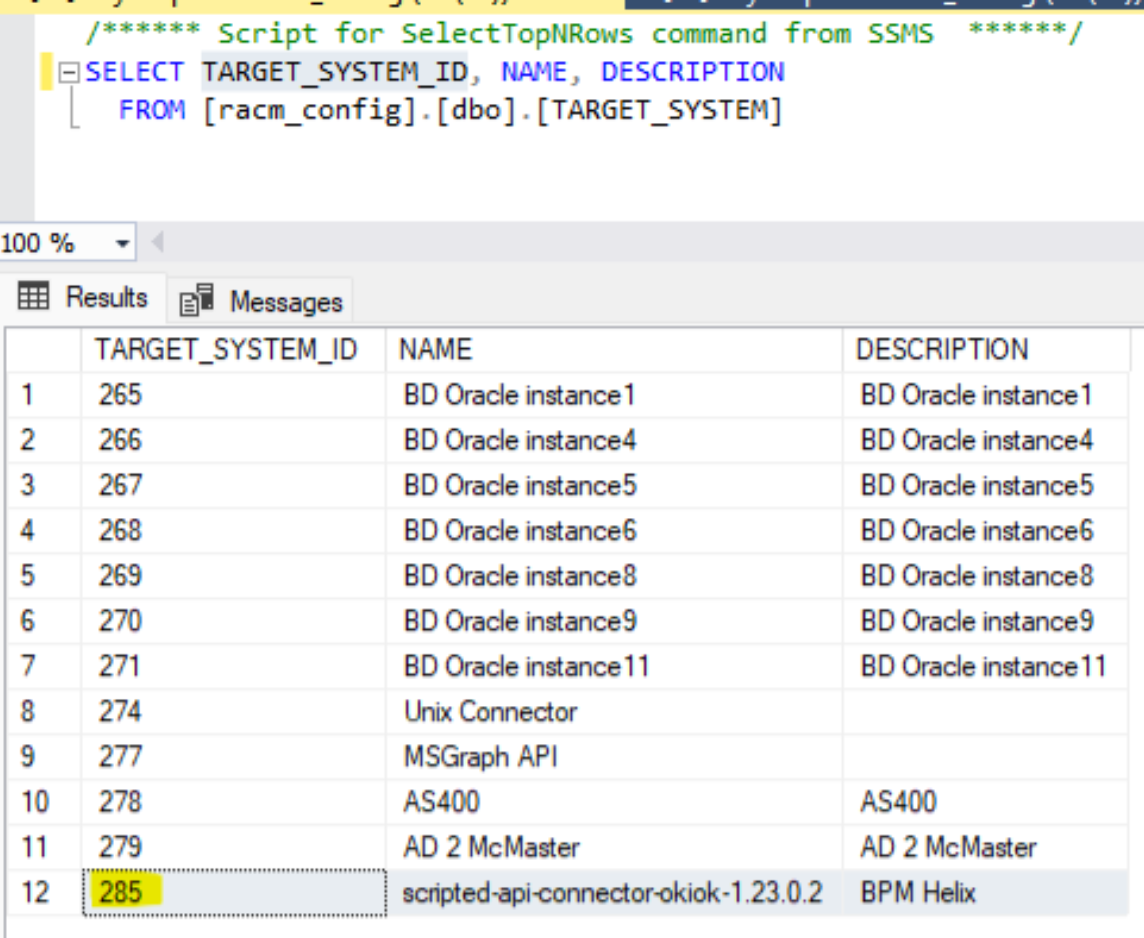
Retrieve the script ID (TARGET_SYSTEM_ID) from the database using the following query. Choose the appropriate script row using the name and description, then copy the corresponding TARGET_SYSTEM_ID.
SELECT TARGET_SYSTEM_ID, NAME, DESCRIPTION FROM TARGET_SYSTEM
Example: For the BPM Helix script, the value to copy is 285
-
Execute the following SQL query, replacing <TARGET_SYSTEM_ID> with the value retrieved in the previous step:
UPDATE TARGET_SYSTEM SET VERSION = '1.23.0.2' WHERE TARGET_SYSTEM_ID = <TARGET_SYSTEM_ID>
-
In the connector configuration in RACM, update the Script Path so that the value reflects the name of the directory created in step 3.
Relative URL: /gui/configurationTargetSystem.action?targetSystemId=<TARGET_SYSTEM_ID> -
Run the sequence linked to this script to test that everything works.
