
S-Filer Portal™ is a complete solution that allows large and small organizations to meet all their enterprise needs for secure file transfer and storage.
OKIOK RELEASES VERSION 4.20.4 OF S-Filer Portal™ SECURE TRANSFER SOLUTION
Changes
Delete users for a group administrator
It is now possible for group administrators to delete users belonging to the groups they administer. A new button now appears when a group administrator consults the list of users in the groups he/she administers.
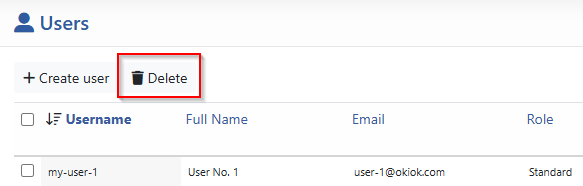
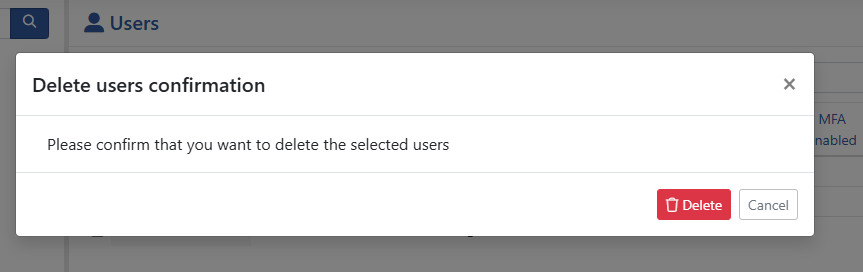
Confirmation is then required for the deletion to take effect.
This change of permission applies to the following locations:
- REST API V1 and V2.
- SOAP API (obsolete).
User role modification
Switching from the normal user role to that of system administrator now unassigns the user’s groups and communities. It will no longer be possible to recover groups and communities if the new administrator reverts to a normal user.

Changing an external username
It is now possible to modify an external user’s login using the “modify-user” command in the administrative CLI.
For more information, see the command detail here.
Bug Fixes
- The default community search in the user management screen was not working and has been corrected.
- The orphan file cleanup process has been optimized to eliminate a potential deadlock problem.
Known issues
There are currently no known issues with this version.
This upgrade requires a database update. We strongly recommend performing a full backup of the solution before updating. Do not hesitate to contact our support group if you have any questions regarding this upgrade. support@okiok.com