Cisco ISE
The Cisco connector enables data synchronization between RAC/M Identity and Cisco.
The connector has been tested with Cisco Identity Services Engine API, Release 2.7 of the solution.
- You need to enable the REST API in Cisco.
Endpoint examples
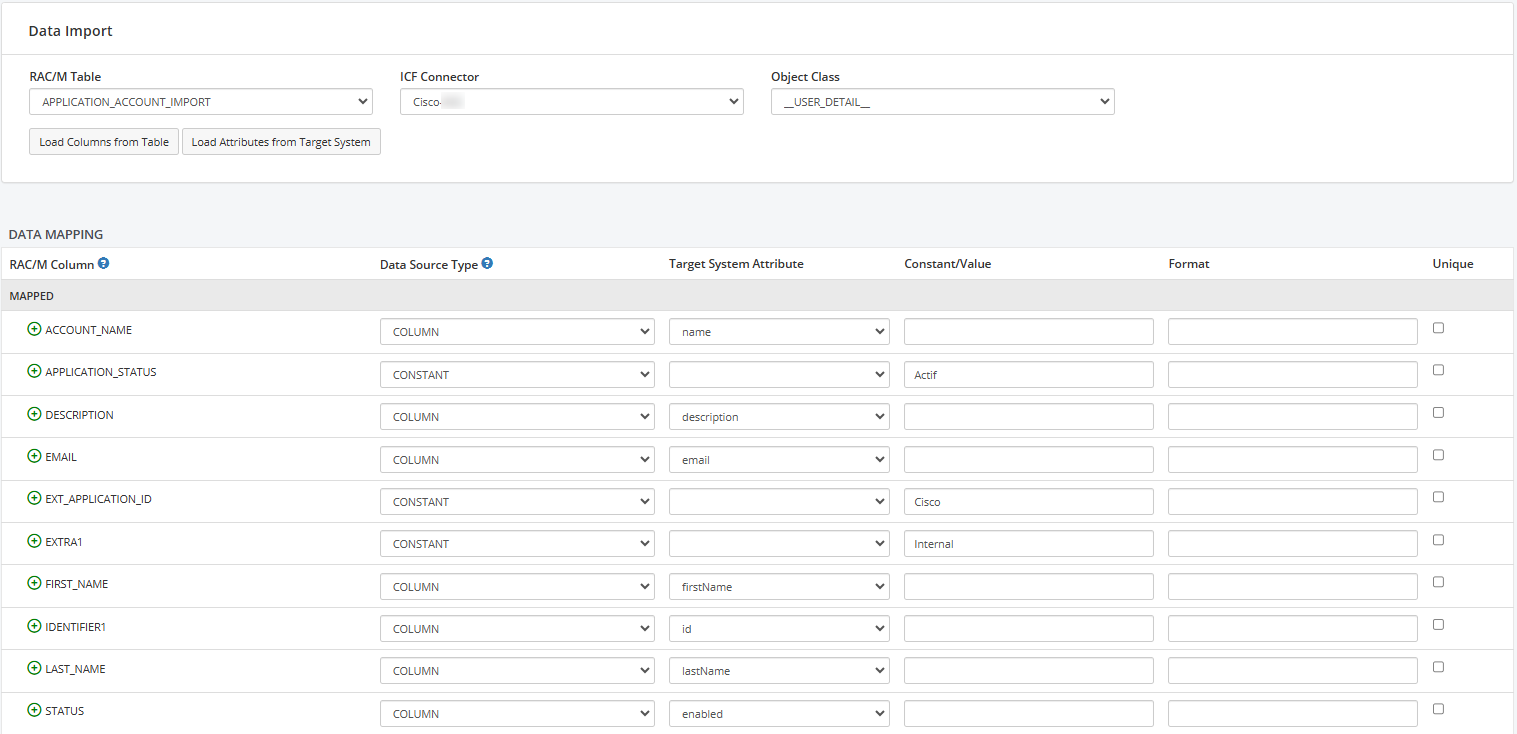
GET /ers/config/internaluser
Retrieves internal users from Cisco ISE.
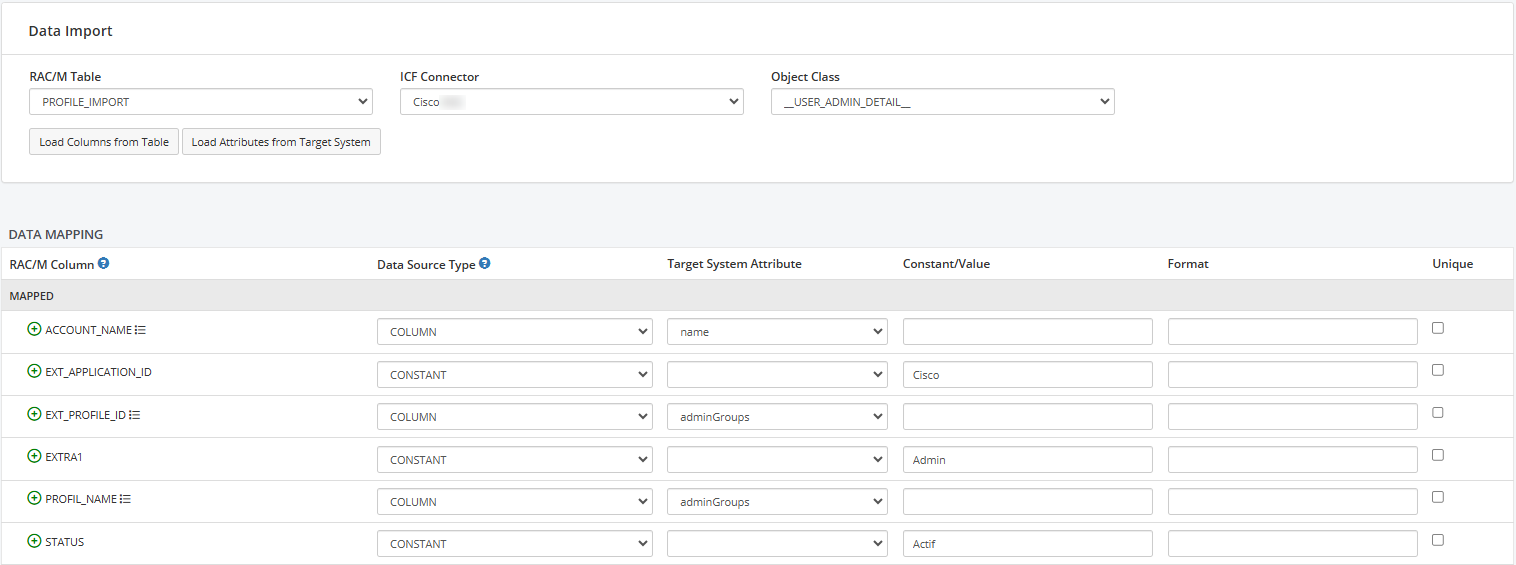
GET /ers/config/adminuser
Retrieves admin users from Cisco ISE.
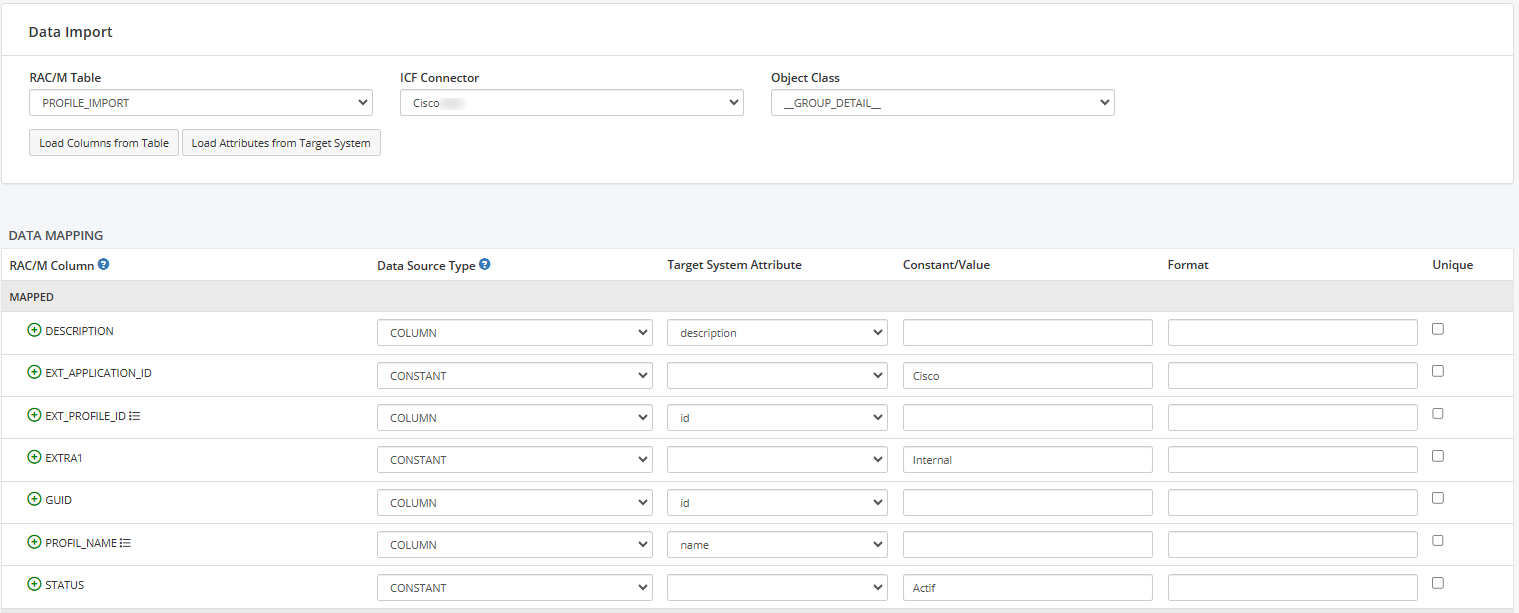
GET /ers/config/identitygroup
Retrieves groups from Cisco ISE.
Jar
This configuration is based on the ICF connector cisco-1.0.0.0.jar.
Configuration
| Configuration | Description | Example |
|---|---|---|
| username | The service account name used to manage users. This account must have the necessary permissions to perform user management operations. | giaadmin |
| password | Password associated with the service account. This password is used to authenticate with Cisco during operations. | ******** |
| apiEndPoint | The URL of the name provider used to establish the connection to the Cisco server, including the IP address or domain name and the port. | https://x.x.x.x:9060 |
Advanced Configuration
| Configuration | Description | Example |
|---|---|---|
| timeout | Connection timeout in milliseconds. Used as both connection and read timeout. | 5000 |
Certificate
A certificate is required in SSL mode.
Adding
Add the certificate to the ICF truststore.
Restart
When making changes to the default truststore of the ICF, restarting the RAC/M service is mandatory.
Test
You can test the Cisco connector by pressing the TEST button.
Import
Account mapping
Group mapping
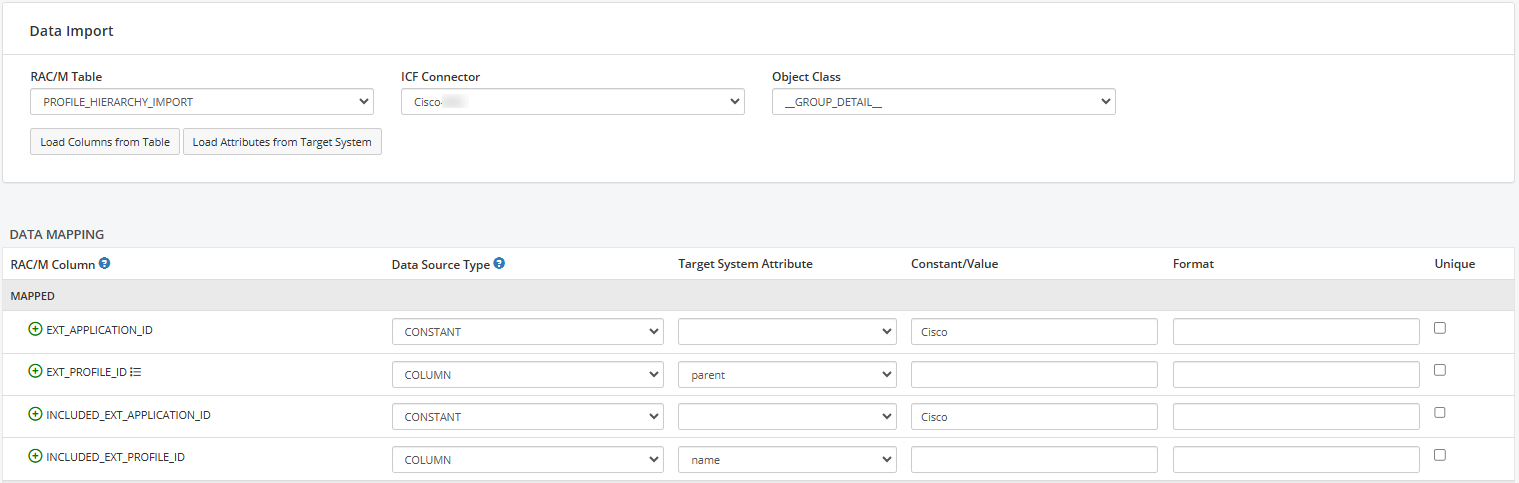
Group hierarchy mapping
Member mapping
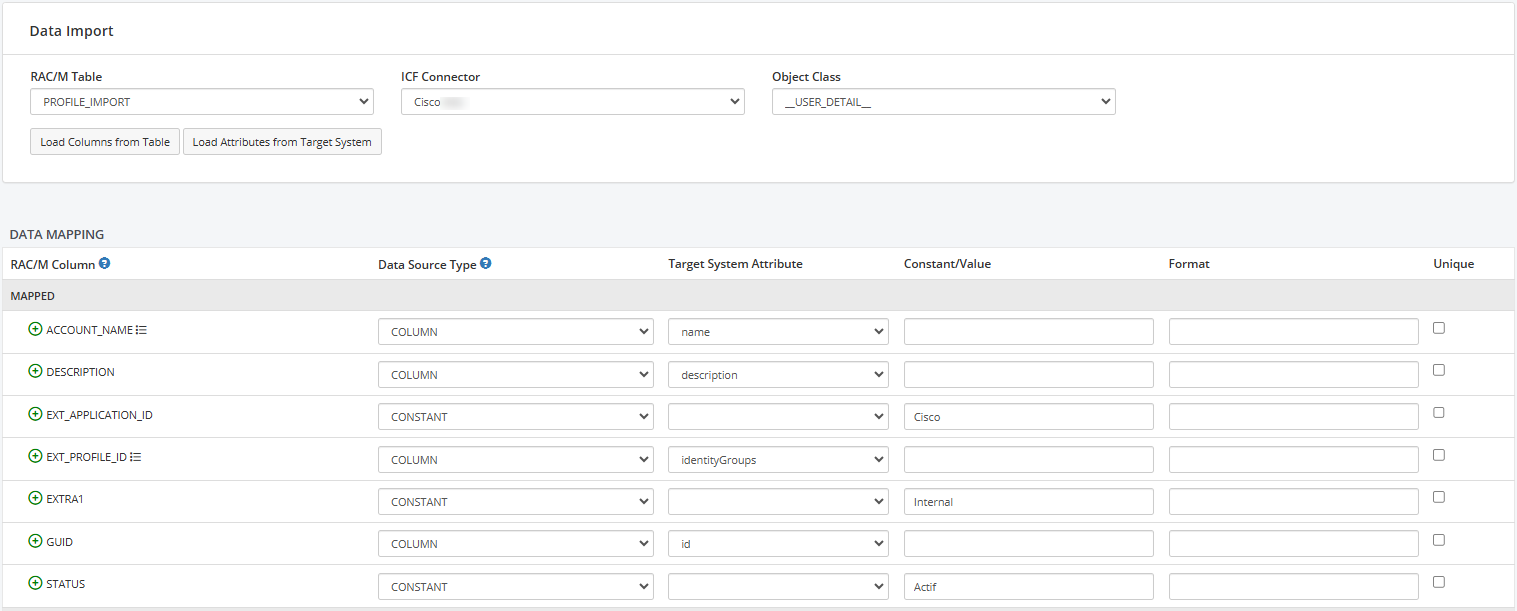
Admin account mapping
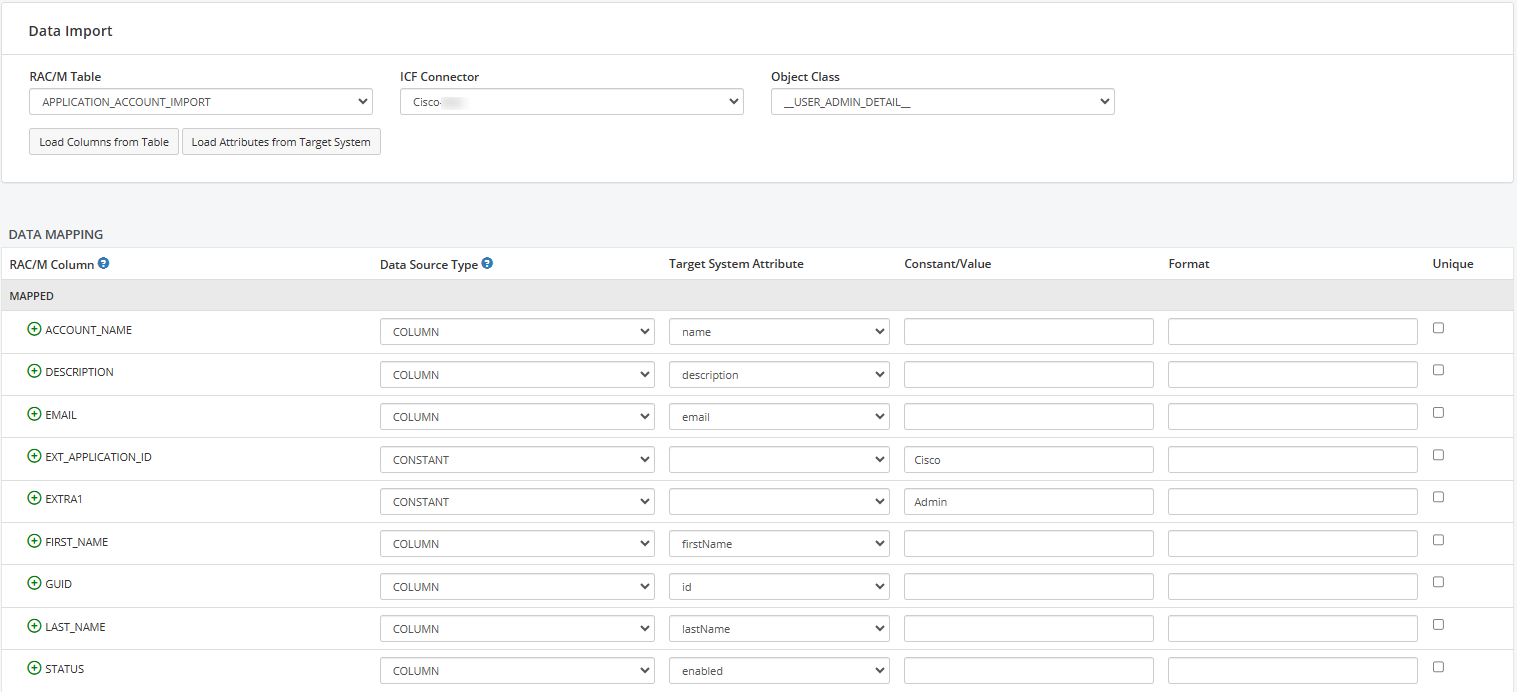
Admin member mapping