
S-Filer Portal™ is a complete solution that allows large and small organizations to meet all their enterprise needs for secure file transfer and storage.
Okiok releases version 4.12.0 of S-Filer Portal™.
Features
Important features and changes have been added in this release:
New web interface
S-Filer has taken a new look in this release. The new responsive interface does not re-invent the product layout but aims to clean and simplify the different application screens. It will also greatly help users on devices with small screens.
Here are a few examples of the new look
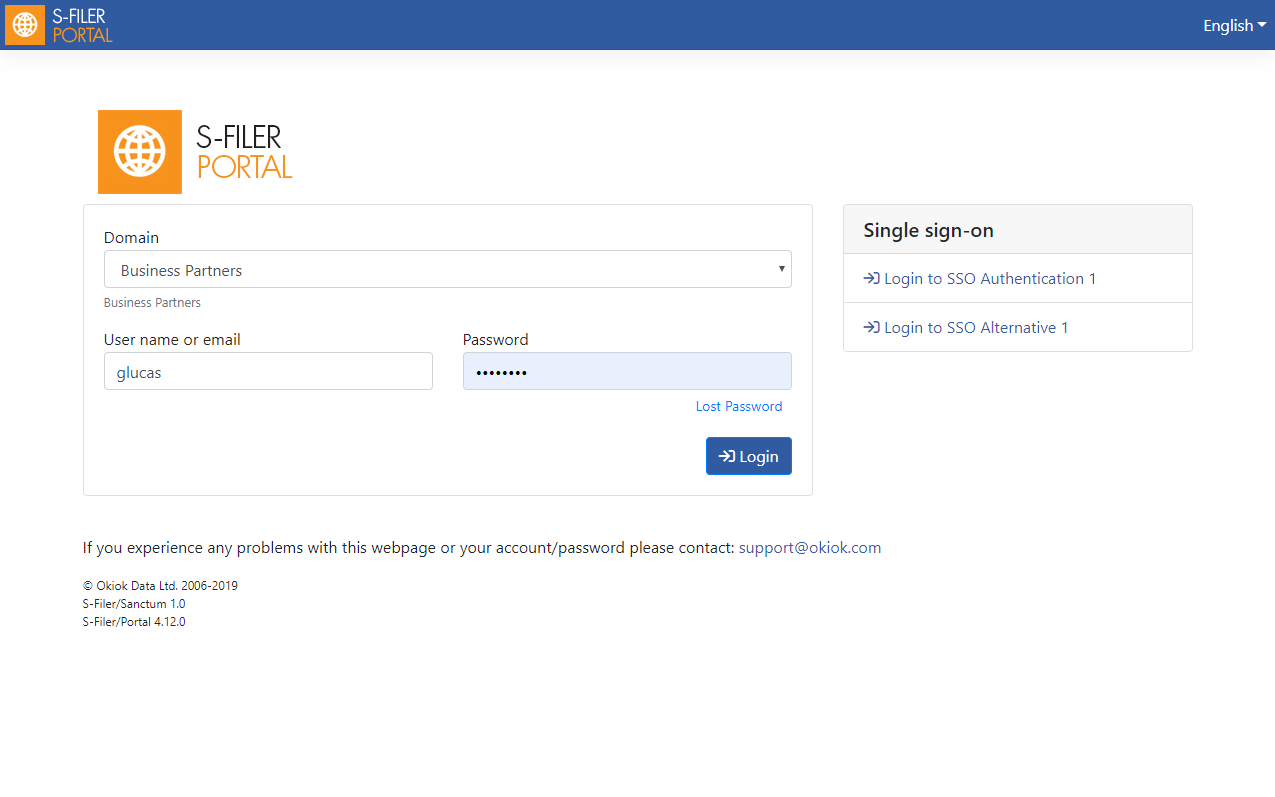
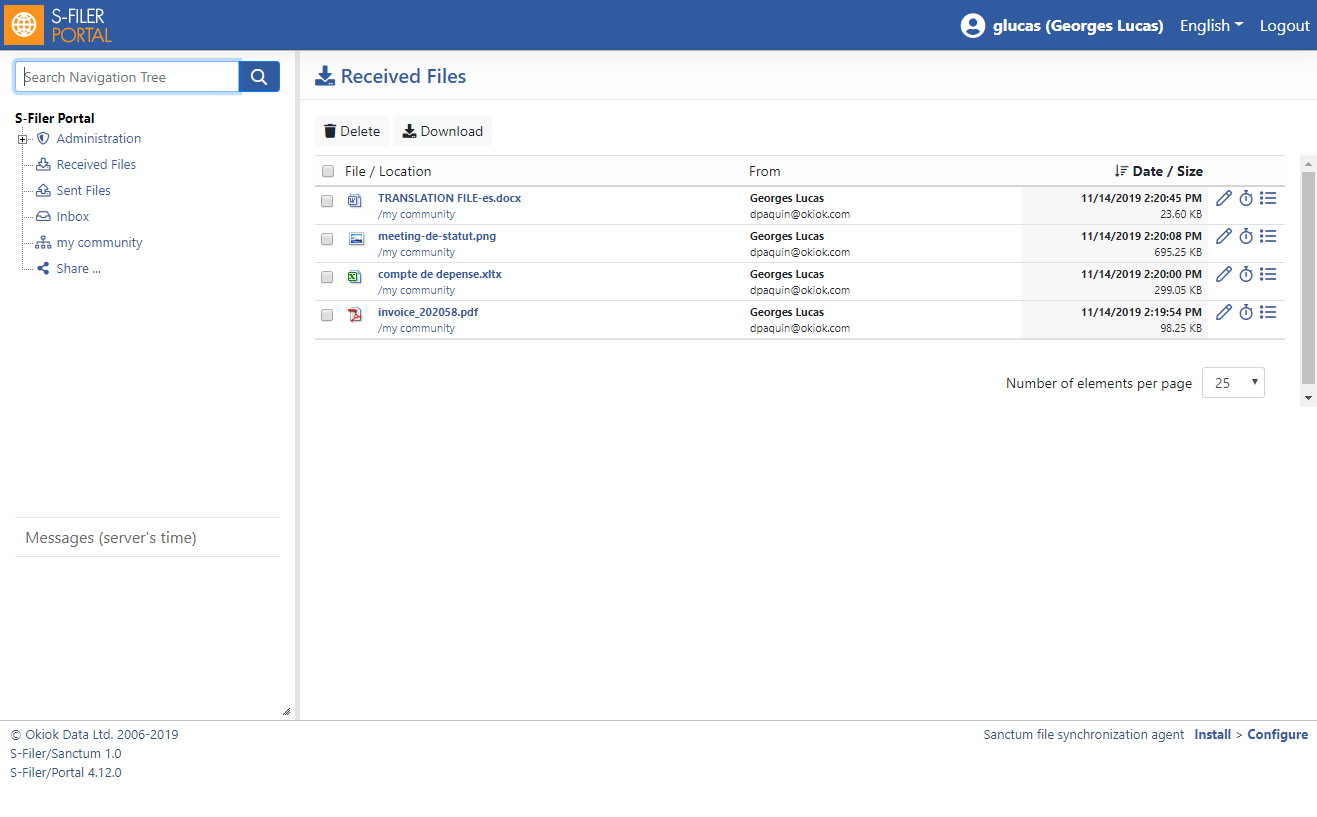
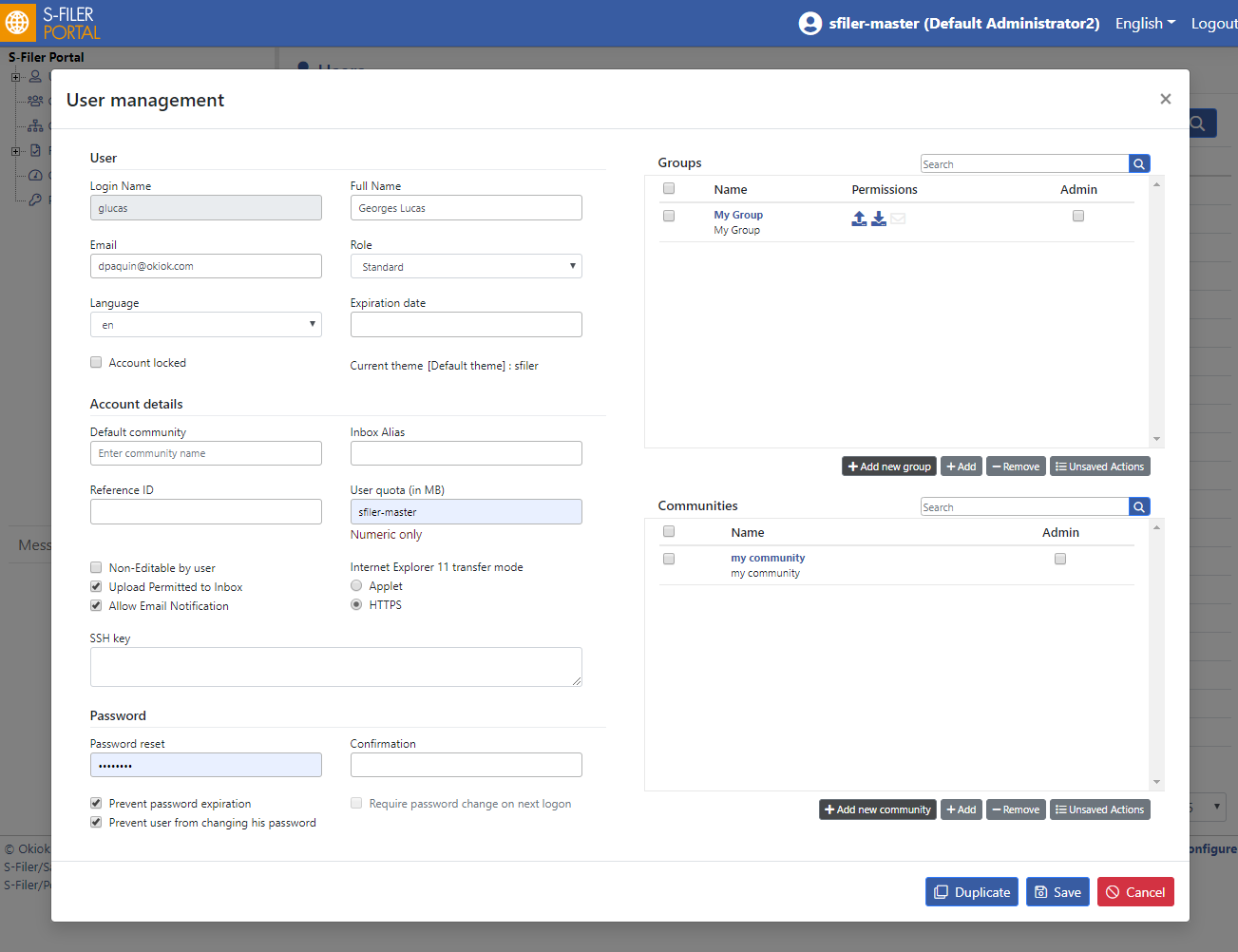
Task service
This new infrastructure component will help the solution process long running tasks in the background without impacting the solution availability. Processes like deleting thousands of files and folders, deleting groups or communities will be performed smoothly in the background without impacting mission critical activities.
Share lifecycle
This release adds two mechanism to automatically manage the lifecycle of communities and shares.
- It is now possible to set expiration dates on communities and shares. When the expiration is reached, the community or share will be automatically deleted along with the contents. Expiration dates are optional and none will be set on existing communities or shares during an upgrade.
- Global settings can be set so that shares are deleted after a period of inactivity.
S-Filer will notify administrators of the community or share before it deletes it. Since shares can be created by users, these new mechanics aim to automatically cleanup unused resources and prevent the accumulation of shares in the solution.
Report queue
When requesting reports, S-Filer will now process a single report at a time while queuing other requests. Generating reports is very resource intensive and this prevents scenarios in which all resources would be exhausted by requesting a large number of reports simultaneously.
Minor improvements and bugfixes
- Fixes have been made to the different cleanup process (CEK, User and files) to avoid leaving unused resources on the system.
- Fixed a rare condition that caused S-Filer instances using Oracle to deadlock when a large number of uploads occurred at the same time.
- The deletion of the default Community is now handled properly.
- The Audit Configuration page has been fixed and un-checking some events will prevent audit records of this type from being recorded. Previously, all event types were always recorded even if they weren’t selected.
- Fixed a bug where uploading a file that resulted in a quota being exceeded resulted in two email notifications being sent.
- Fixed a bug where deleting groups and communities wit extensions assigned would fail.
- Fixed a bug where some SFTP clients (libssh2) would not be able to list files in a folder containing several hundred files.
Known issues
- There are no known issues associate with the release.
Deprecations
- The next version of S-Filer will abandon the JMX technology used for communication between different components. JMX will be replaced by the HTTP(S) protocol. This change will simplify the configuration of the solution as well as the configuration of firewalls.
- Applet support will soon be removed. The Applet will be maintained within the solution as long as Microsoft officially supports the browser IE 11 which is the last modern browser still supporting the Java plugin. The end-of-life date of IE 11 is currently scheduled for January 14, 2020. It is recommended to use the new end-to-end encryption technology introduced in version 4.11.0 of the solution and available with modern browsers.
Updating
This section describes an update from version 4.11.2
- This update requires changes to the database schema, so be sure to make a backup copy before you update.
- This update has a significant impact on customer themes. Modifications will be required with this release.
- This update requires the creation of new email templates to notify the users Communities and Shares are about to expired.