With S-Filer Portal™ 4.21, you install the upgrade when it suits your schedule. You switch on the new features when it suits your users.
Right after the upgrade, nothing changes for anyone. Your instance behaves exactly like 4.20 until you decide otherwise.
One switch per version, one per feature
A version flag groups everything a version brings. While Version 4.21 is off, your users work exactly as they did in 4.20. Patch releases have no version flag.
A feature flag lets you hold back one feature a little longer. Email consolidation has its own. You can move to 4.21 today and change how people are notified next month.
Flip it on when you are ready
Both kinds live in the Features section of the administrative console and in the update-feature-flag command of sfiler-config-cli. No restart is needed, and the change takes effect within five minutes.
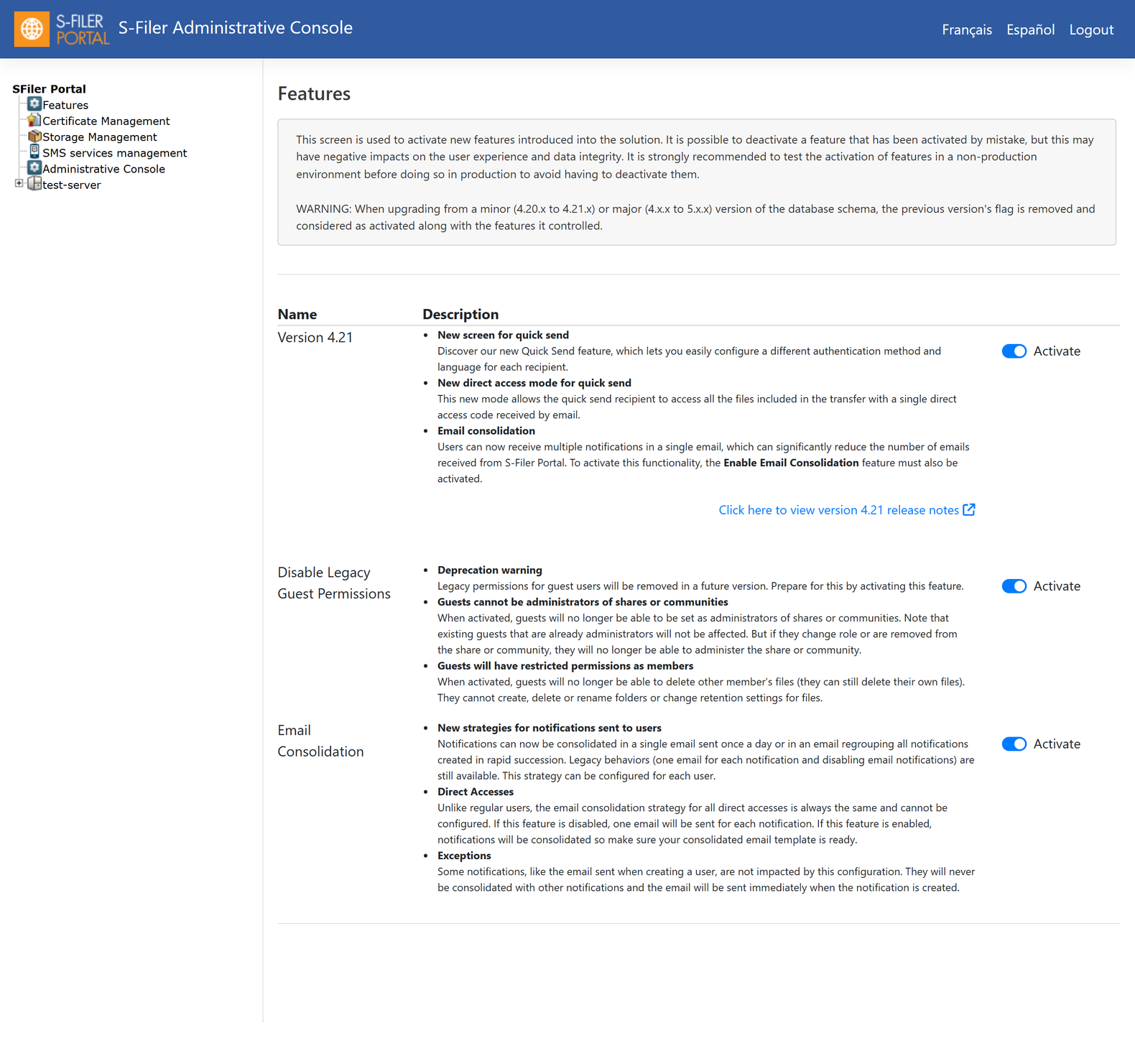
Try it in a test environment first, and treat the version flag as a one-way switch. Once it is on, the instance writes data in the new format. If you ever think you need to turn it back off, talk to our support team before you do.
Upgrade without stopping
High-availability deployments benefit most. You upgrade servers, gateways and web interfaces one by one while the platform keeps serving users. When the last component runs 4.21, you turn on the flag and they all switch together.
They switch at the same moment, too. A version flag only applies on an exact five-minute mark, such as 10:05 or 10:10. Each component reads it at a slightly different time, and none of them gets ahead of the others.
How long each flag lives
A version flag lives for one version. At your next database schema upgrade, the 4.21 flag is switched on if it was still off, then retired. Use the life of 4.21 to try its new behaviour at your own pace.
A feature flag stays. It keeps its value from one upgrade to the next until you change it.
On our SaaS service
OKIOK handles the version flag for you. It turns on by itself once every server in your instance runs 4.21. Your users get the new version at the end of the maintenance window.
Before the upgrade, our support team asks you which feature flags to turn on. Want to change one later? Let us know.
The documentation covers both kinds of flags in detail: Features management.