
S-Filer Portal™ is a complete solution that allows large and small organizations to meet all their enterprise needs for secure file transfer and storage.
S-Filer Portal 4.21 makes exchanging files with people outside your organization faster and safer. Sending files and asking for them each fit on one screen. Every recipient gets the protection that suits them, and every user decides how often S-Filer Portal emails them.
You also choose when all of this reaches your users. After the upgrade, your instance behaves exactly as before until you switch the new features on.
Getting S-Filer Portal 4.21
On our SaaS service, OKIOK upgrades your instance during a maintenance window. Our support team asks you beforehand which new features to switch on.
On your own servers, the upgrade guide walks your administrators through every step: Upgrading to S-Filer Portal 4.21.0.
This version includes breaking changes. On your own servers, read Updating to version 4.21 at the bottom of this page before you upgrade.
Highlights
Send files in a few clicks
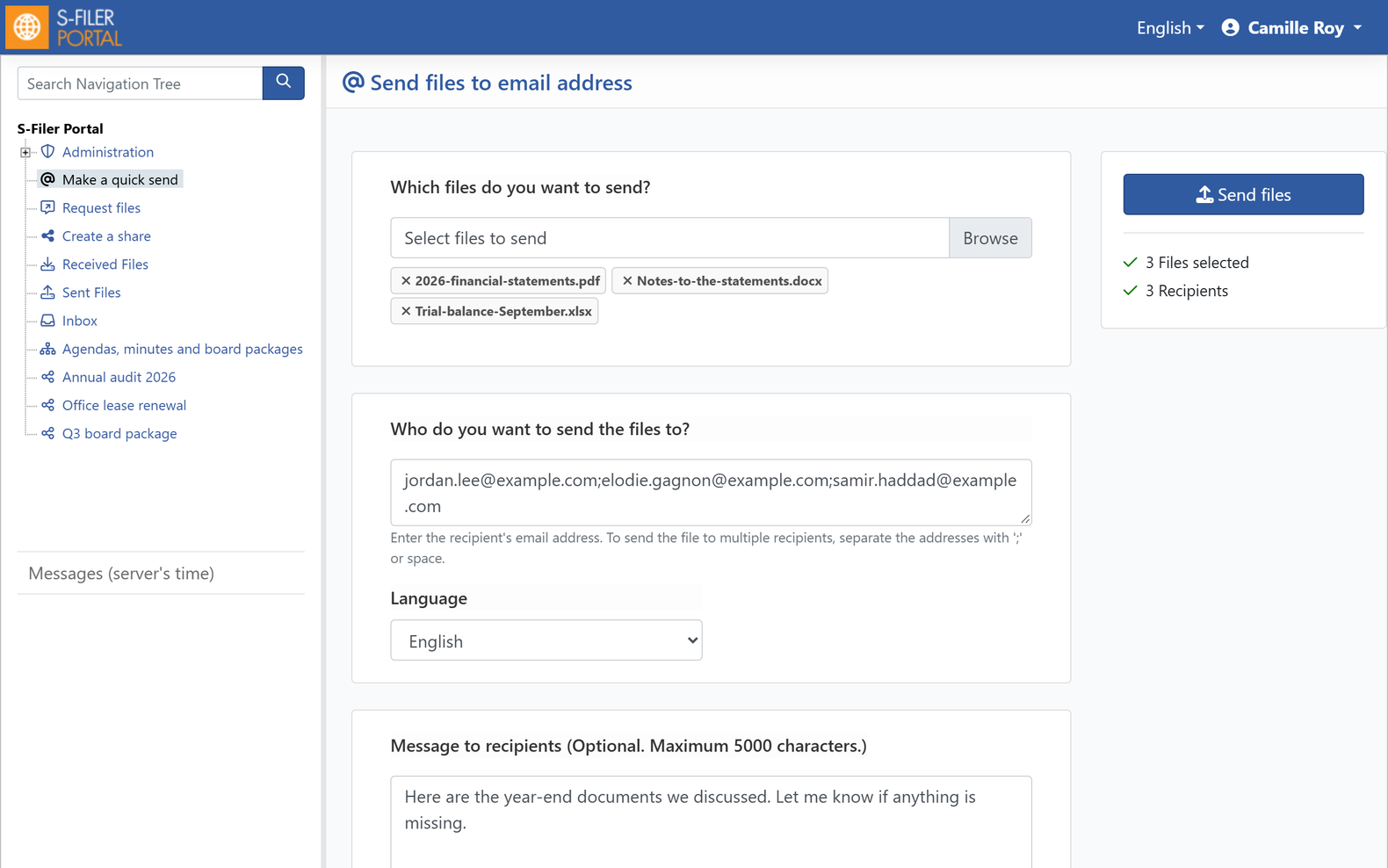
The new quick send fits on a single page. Add your files and recipients, write a message, and a summary panel shows what is left before you send. Each recipient can be protected their own way, with a password, a code by SMS or a code by email.
The send then stays in your menu as a share space. You see which recipient used their access and when, and you decide how long the files are kept.
Ask for files without anyone creating an account
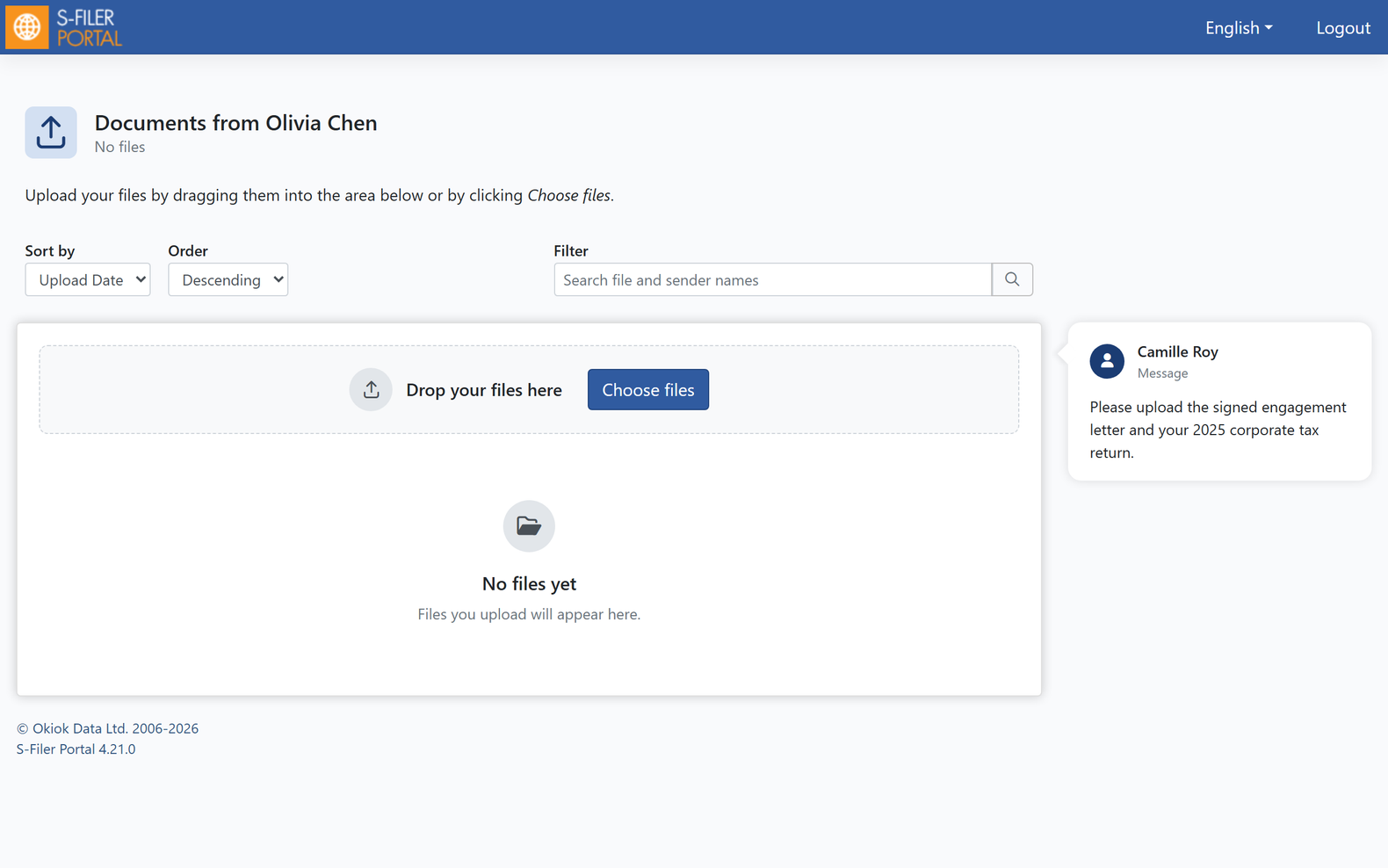
Need a signed contract or supporting documents from a client or a supplier? Type their email address and say what you need. They receive an invitation, open a clear upload page and drop their files.
An email tells you as soon as the files arrive, and they wait for you in a share space of their own. Your administrators decide which groups may send these requests.
A second factor for every user
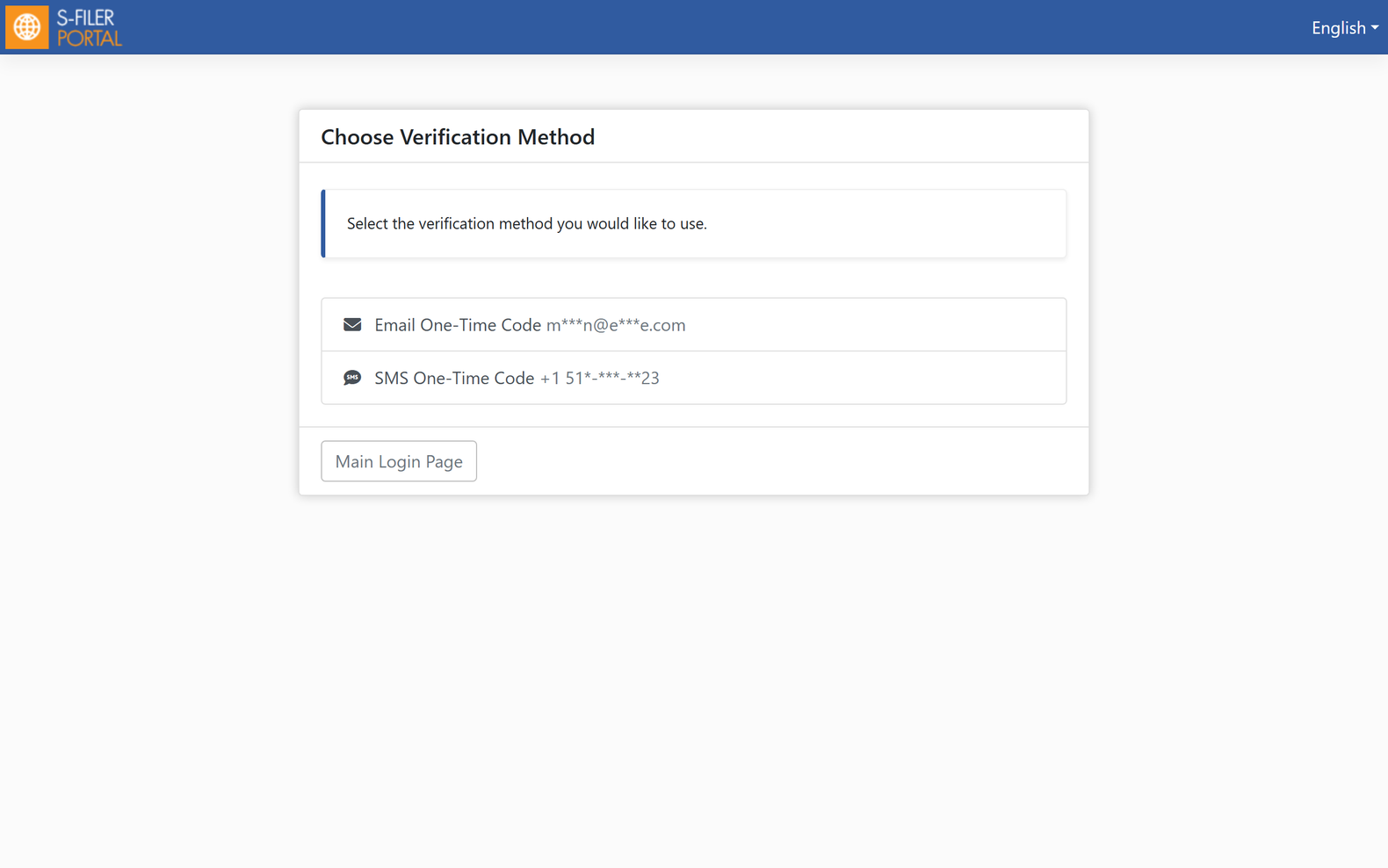
S-Filer Portal already protected accounts with authenticator apps. Now users without a smartphone, or who may not install apps on a work device, get a second factor too. A one-time code reaches them by email or by SMS, wherever they sign in.
Each user sets up a method from their profile in a few steps. Your administrators choose which methods your instance offers.
Fewer emails, and clearer ones
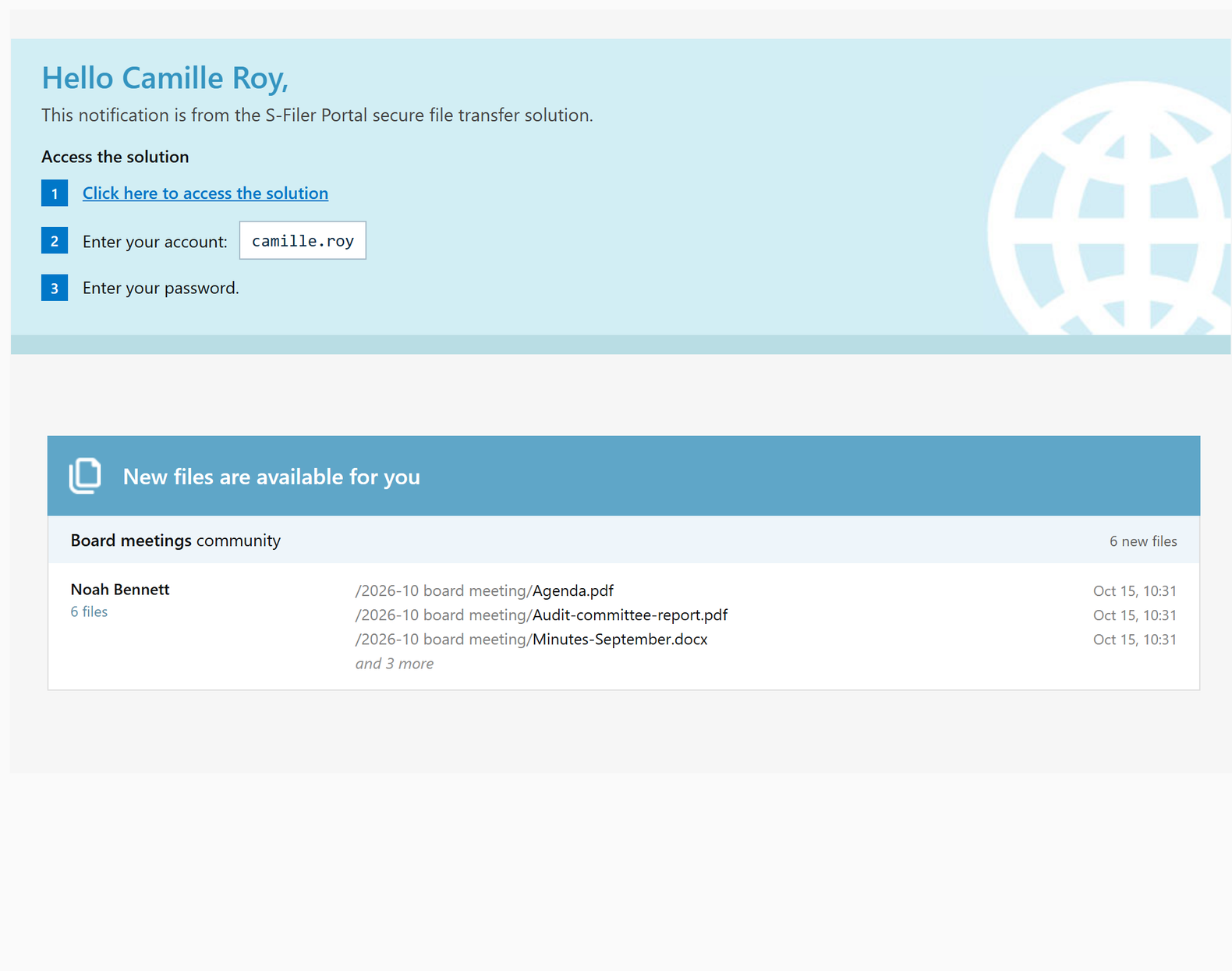
When a colleague drops forty files into a share space, that can now be one email. Each user chooses to be notified right away, in a grouped email, once a day or not at all.
Every email has also been rewritten in all five supported languages, with a fresh look and clear sign-in steps at the top. As always, notifications are fully customizable, and you can use this revamped look as inspiration.
Upgrade at your own pace
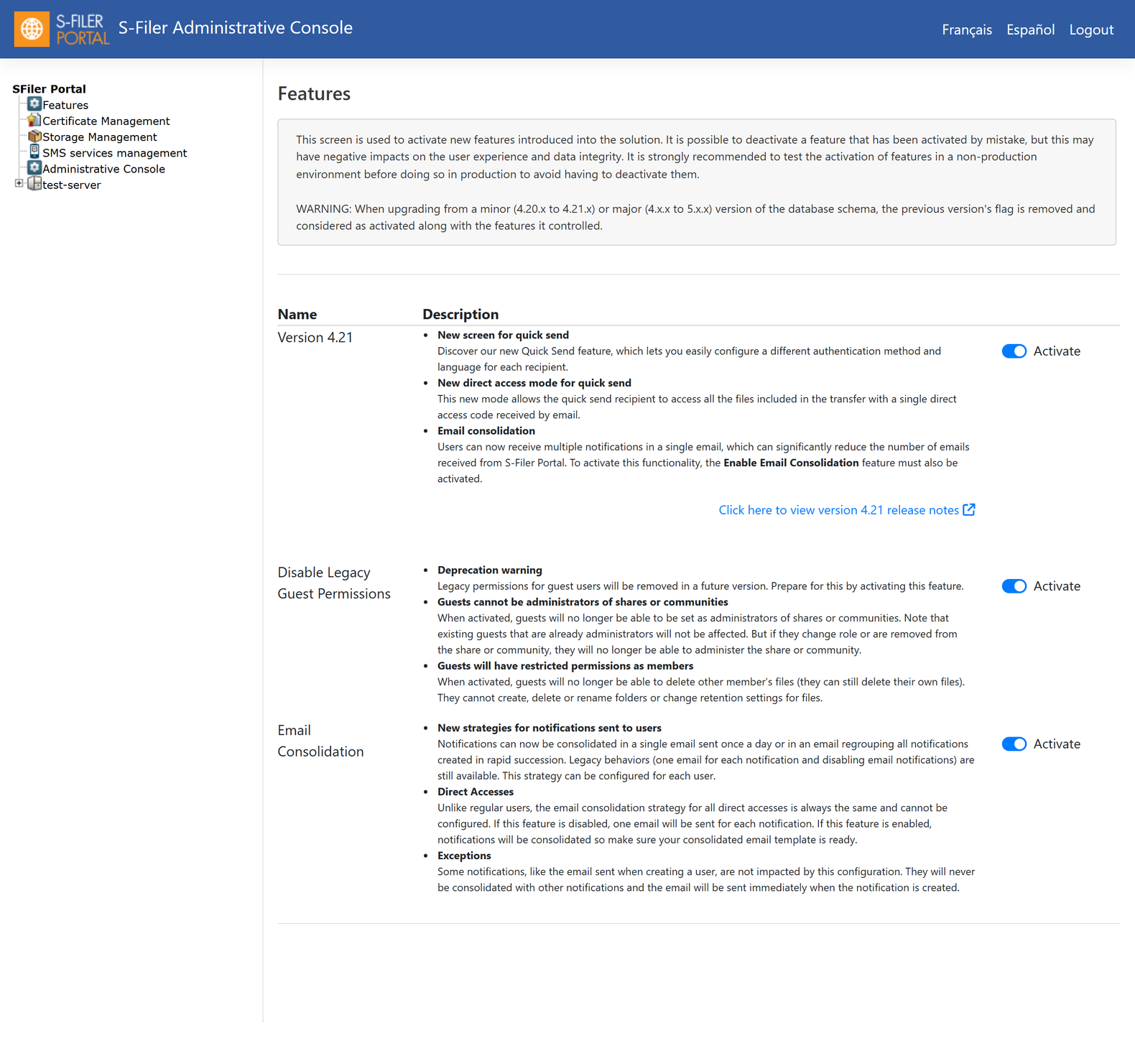
Install 4.21 when it suits your schedule, and switch on its new features when it suits your users. A high-availability platform keeps serving users while it upgrades, one server at a time.
More improvements
For your users
Find any file you sent or received
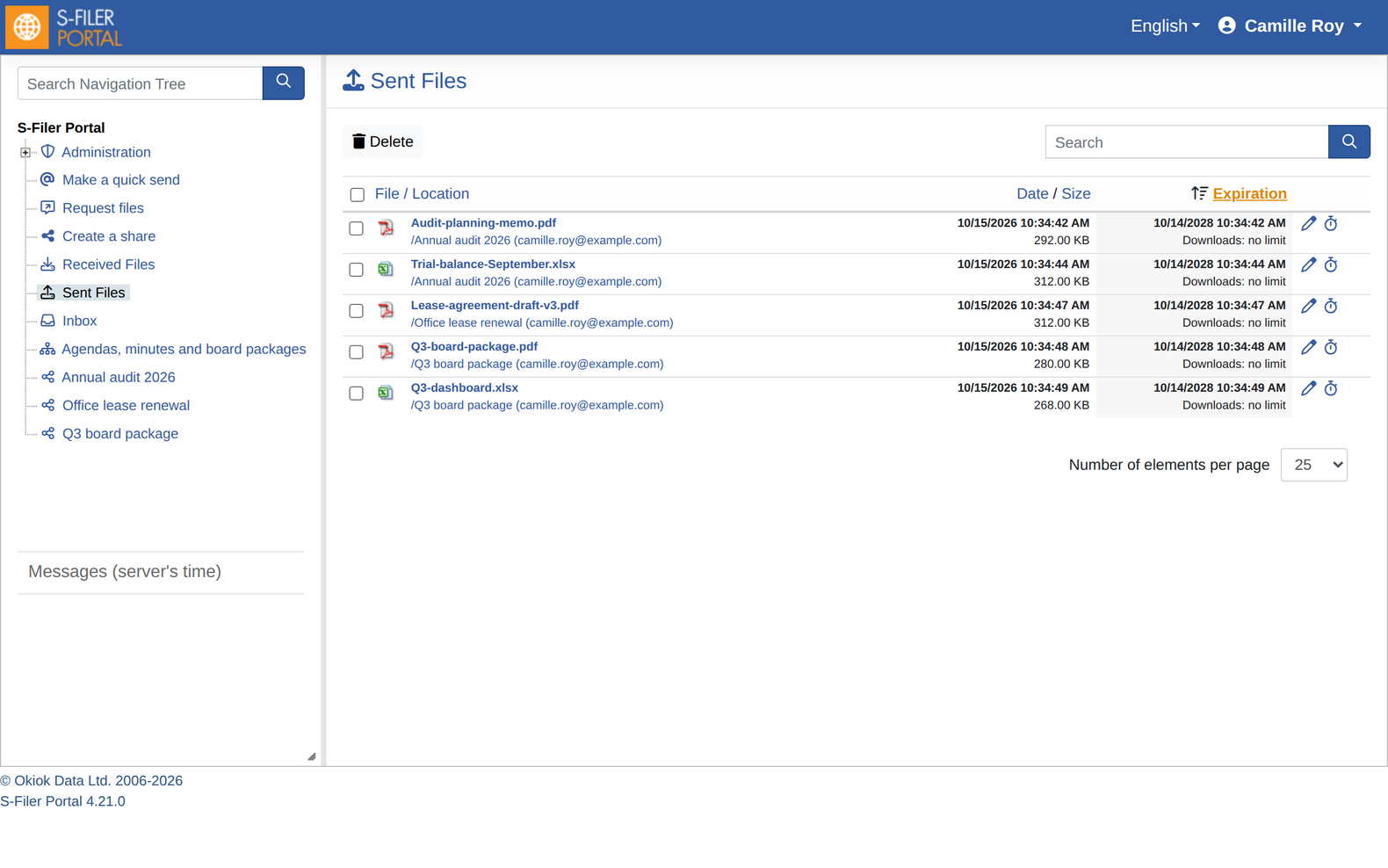
Search the Received files and Sent files lists, sort them on any column and see when each file expires.
See what you type at sign-in
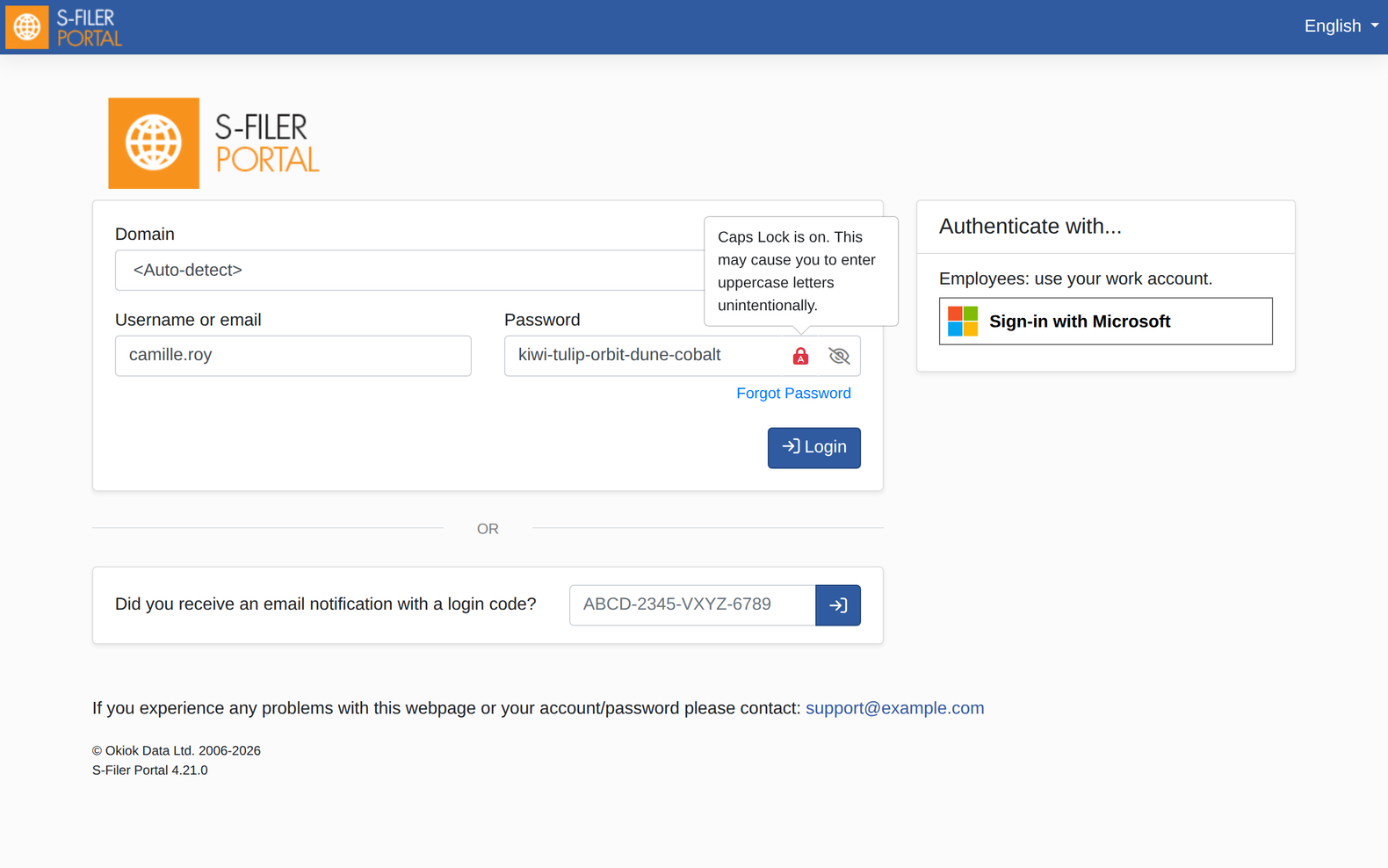
Reveal the password you are typing with the eye button, and get a warning when Caps Lock is on.
A reminder before your account expires
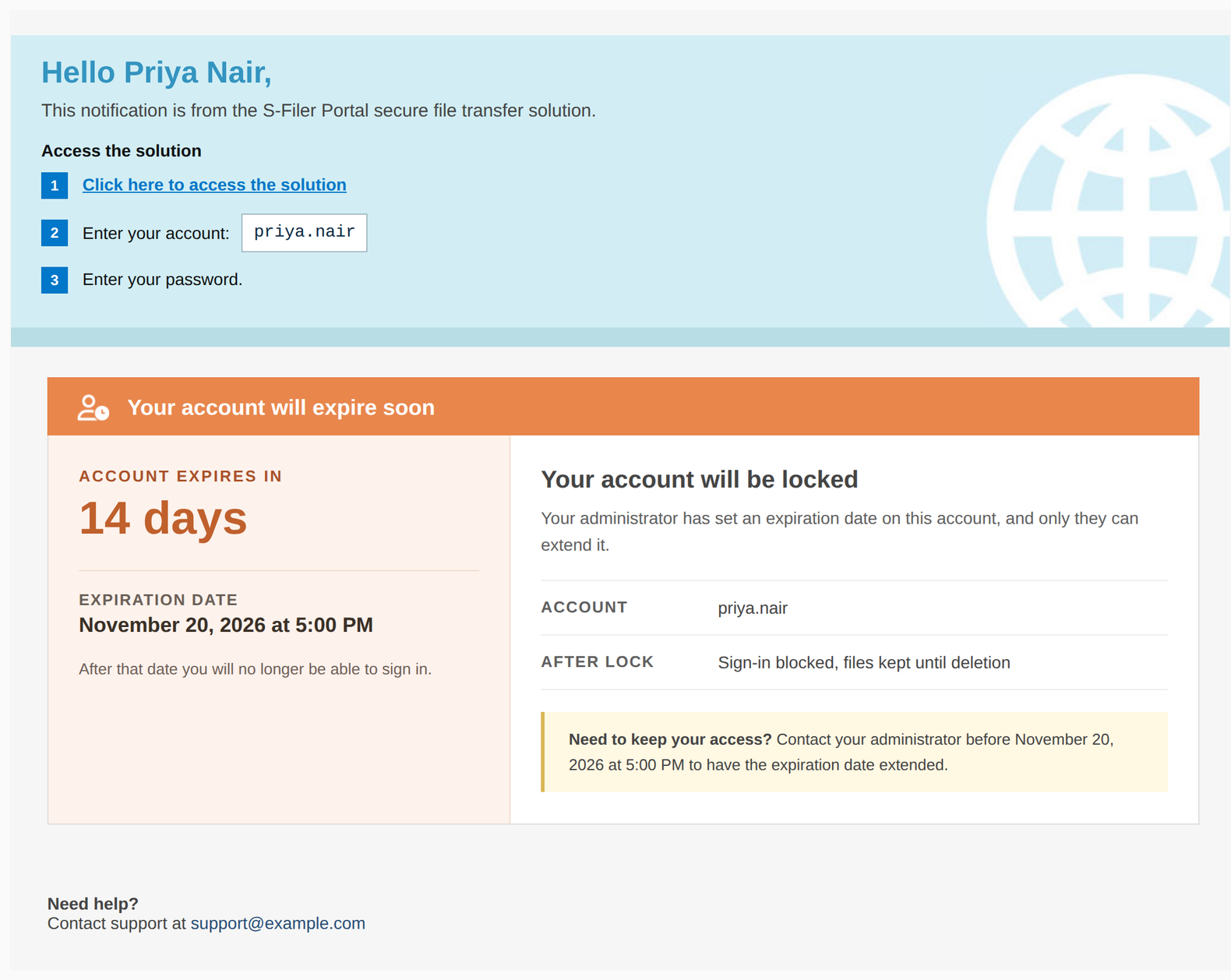
Get an email before your account expires, with the date and who to contact to keep your access.
Longer messages
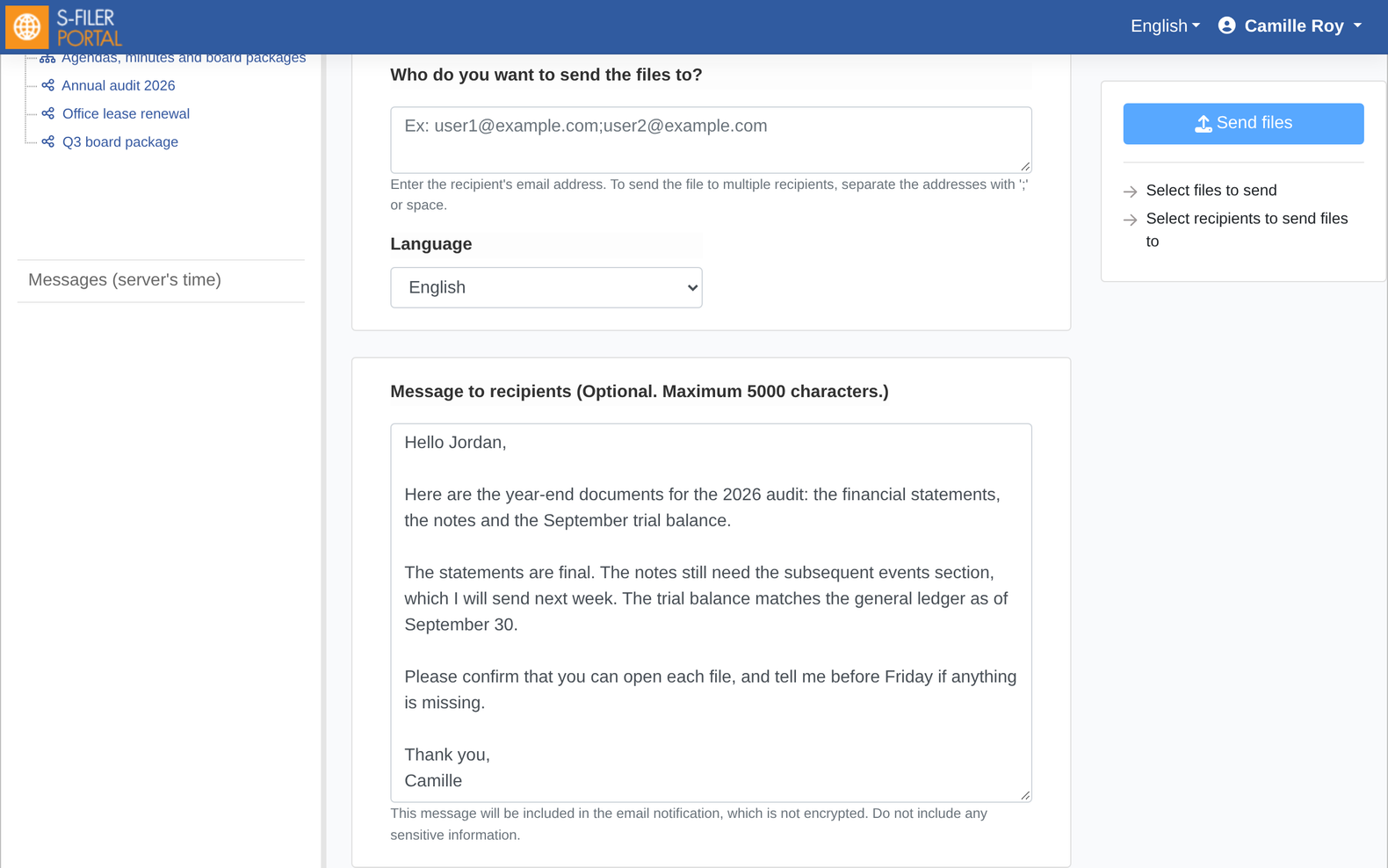
Write messages of up to 5,000 characters with your transfers.
For your administrators
- Decide which groups may create share spaces, send files quickly and request files.
- Show sign-in instructions, in every language, for each external sign-in option.
- Exempt an account from expiration.
- Users adopted from your directory now receive a welcome notification.
- Put your solution’s name and support address in every email.
- Edit email themes, tracking which notifications are done and which remain in every supported language.
- Sort the members of a share, and see the last activity of each community.
- Change the log level without restarting anything.
For your infrastructure and integrations
- A new generation of the REST API lets your applications do everything the new screens do.
- Store files on S3-compatible storage such as MinIO and Ceph, or on Azure Blob storage with a shared access signature.
- Connect to Azure SQL and SQL Server with a Microsoft Entra ID account.
- Send SMS codes through Twilio, AWS or Azure Communication Services.
- Follow any request from end to end, across components and logs.
- Choose which server of a multi-server installation runs the scheduled jobs.
Cybersecurity
- Passwords are stored with the algorithm OWASP recommends today. Existing ones are converted at the next sign-in.
- Changing or resetting a password signs the user out everywhere.
- Error messages no longer show technical details, and session cookies travel over secure connections only.
- New installations offer AES-256 encryption only.
- Several security fixes, including updated third-party components.
Updating to version 4.21
These points apply to installations on your own servers. On our SaaS service, OKIOK makes these changes for you.
Deprecations
These still work in 4.21 and will be removed in a later version:
- The SOAP API (
SFilerWS,sfiler-wsclient.jar), removed in 4.22. Move your integrations to the REST API. - The former quick send settings
cfg.java.gui.sfiler.feature.anonymous.downloadandcfg.server.transfer.service.rest.anonymous.download, replaced by the Quick Send feature flag and removed in 4.22. - The
cfg.server.report.service.jasper.xml.source.*settings, already ignored: the built-in report templates are used.
Breaking changes
- S-Filer Portal 4.21 requires Java 25.
- Remove
cfg.server.local.config.hibernate.dialectfromsfiler.conf: the dialect is now detected from the database connection. - The
TransferThreadPoolclass of the Java API is removed. Run transfer tasks from a thread or executor of your own. - Custom extensions calling
createDocumentFromOriginalContextmust be recompiled. - Audit chaining and its scheduled integrity check are removed.
- Custom themes using Font Awesome icons may need updating for version 6.
Known issue
- On Windows Server 2025, run the installer in compatibility mode for Windows Server 2016.
Tell us about your requirements
Planning your move to 4.21, or considering S-Filer Portal for your organization? We want to hear about your file exchanges.