Some of your users carry no smartphone. Others may not install apps on a work device. S-Filer Portal™ 4.21 brings them multi-factor authentication too, with a one-time code sent by email or by SMS. Several of our clients asked for it.
The authenticator app and access tokens work as before. Our article on MFA in version 4.15 covers them.
Signing in, your way
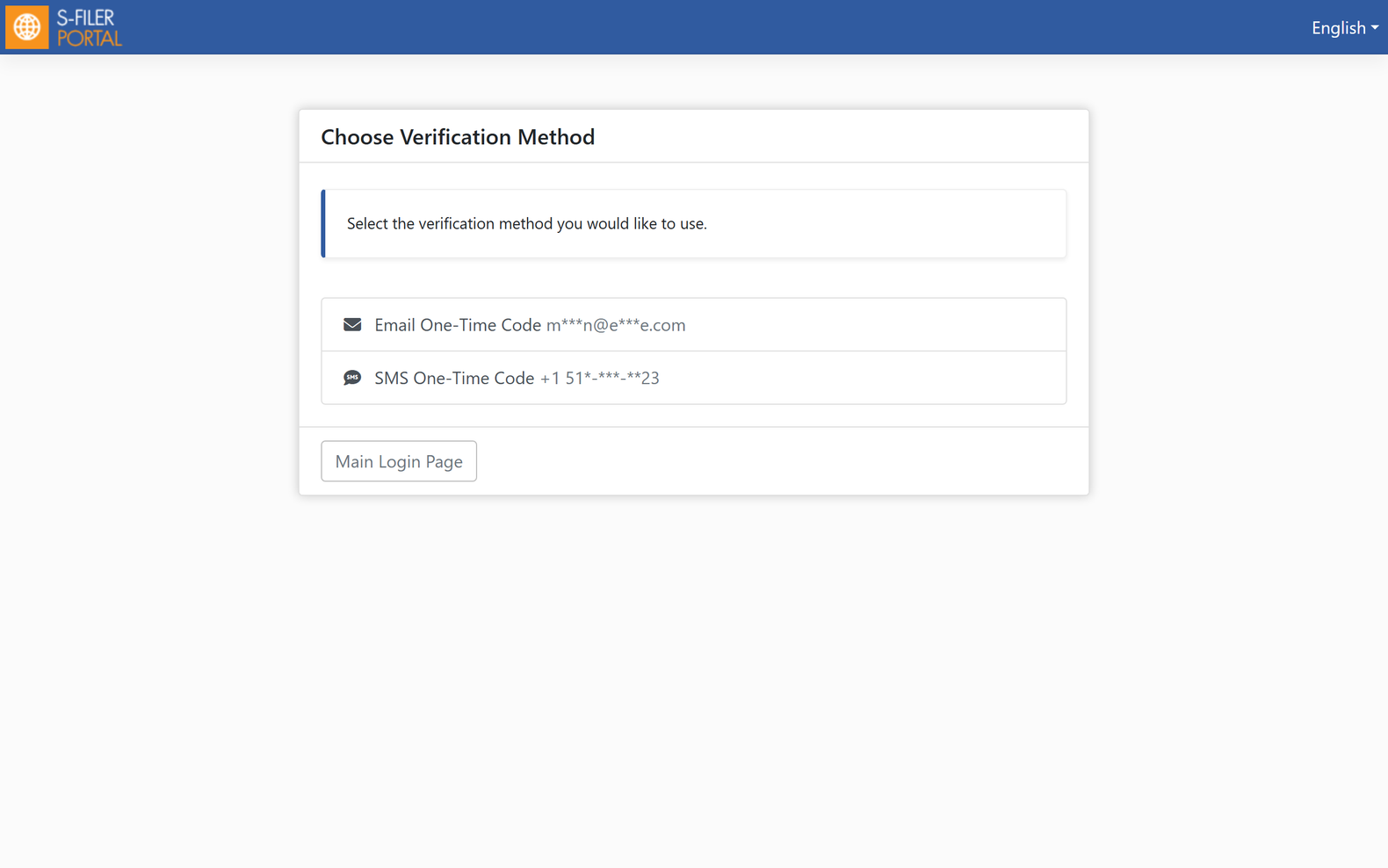
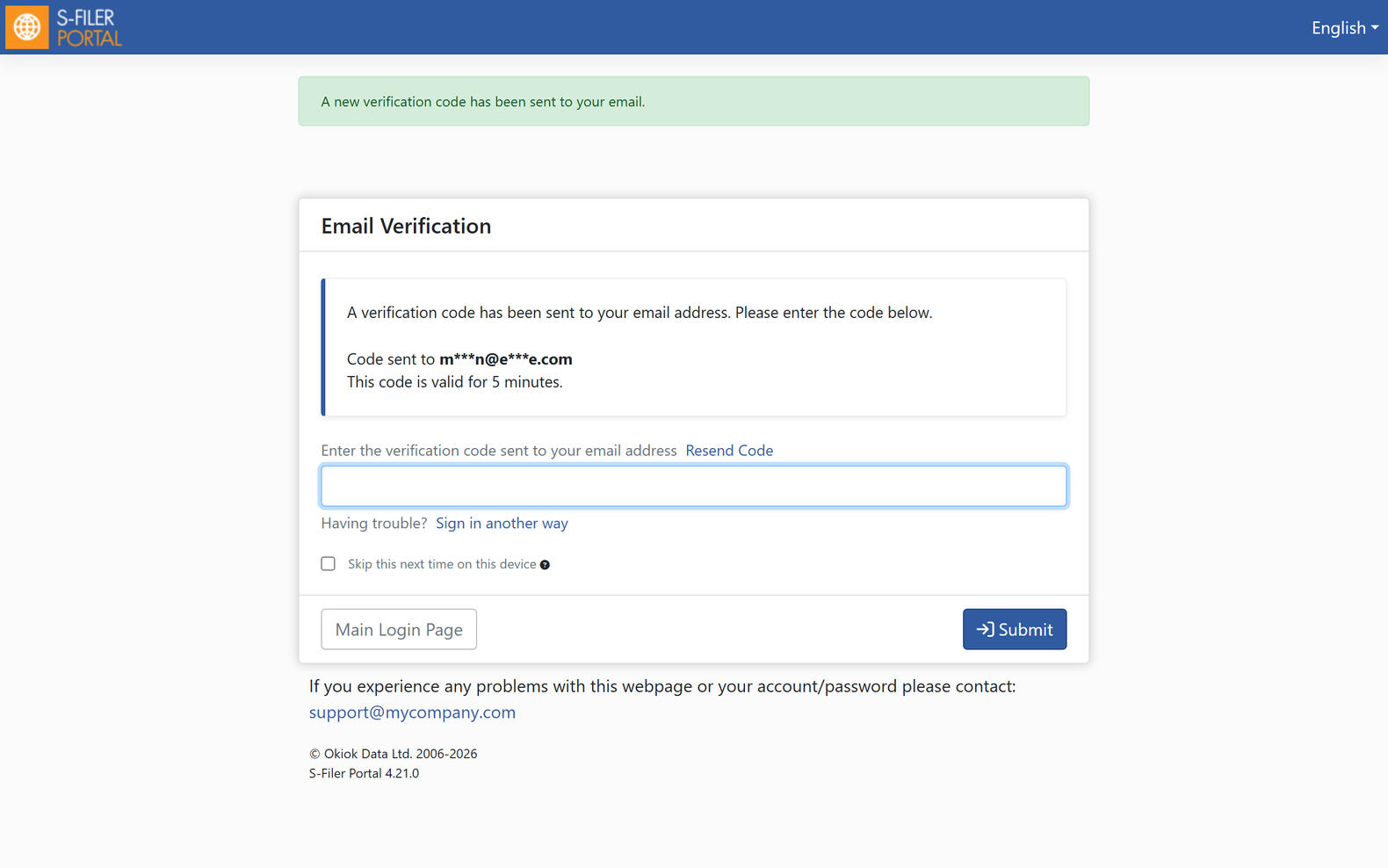
Users with more than one method choose at sign-in. The code arrives by email or by SMS, and Resend Code sends a fresh one when needed. It works the same way in the web interface, the CLI and the Gateway.
Set up in a minute
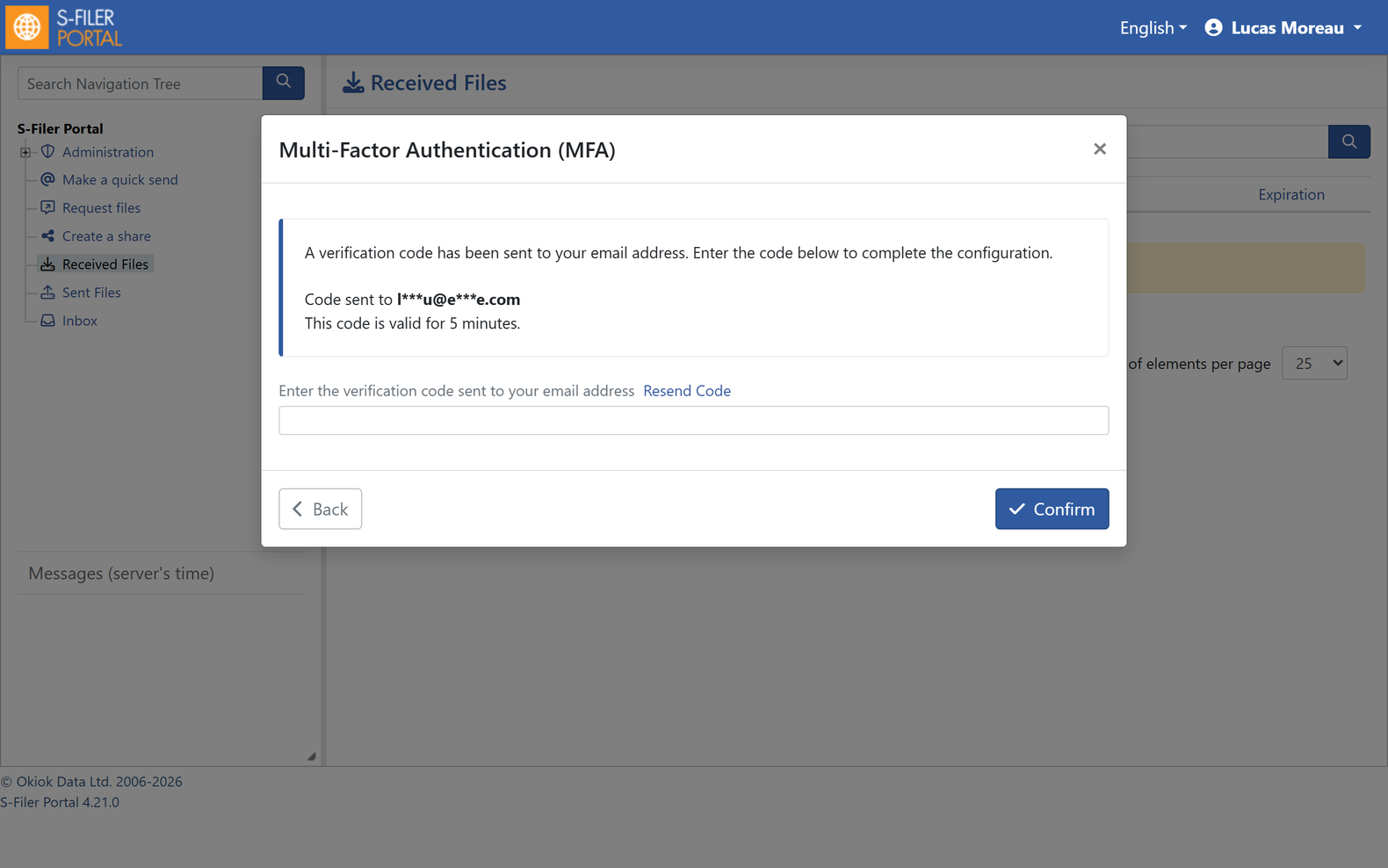
Users add a method from their profile. For email, the code goes to the address already on their account. For SMS, they enter their phone number.
Administrators stay in control
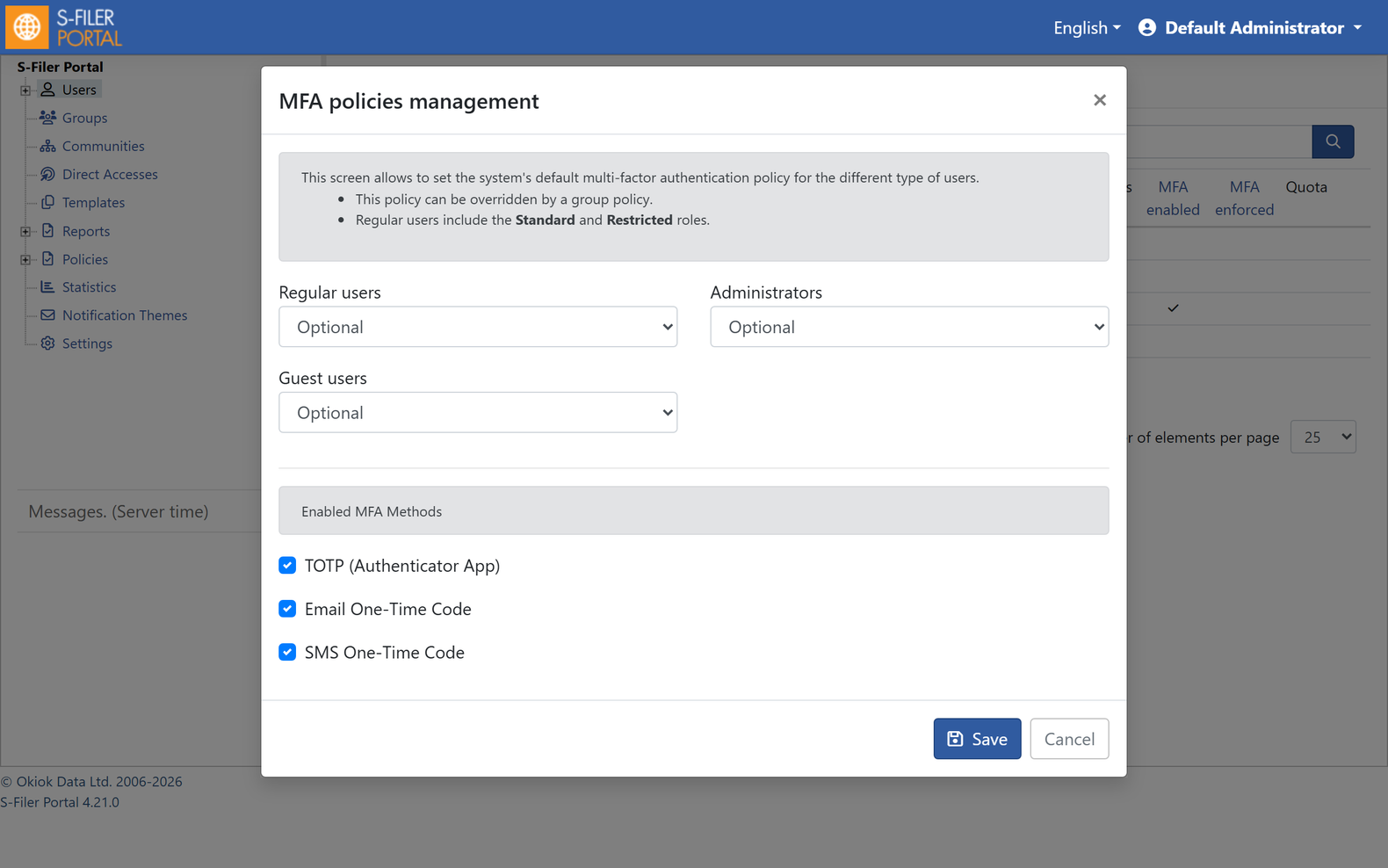
The MFA Policy screen sets which methods your instance offers. Out of the box, only the authenticator app is on. The list-mfa-methods and set-mfa-methods Admin CLI commands and REST API v3 manage the same settings.
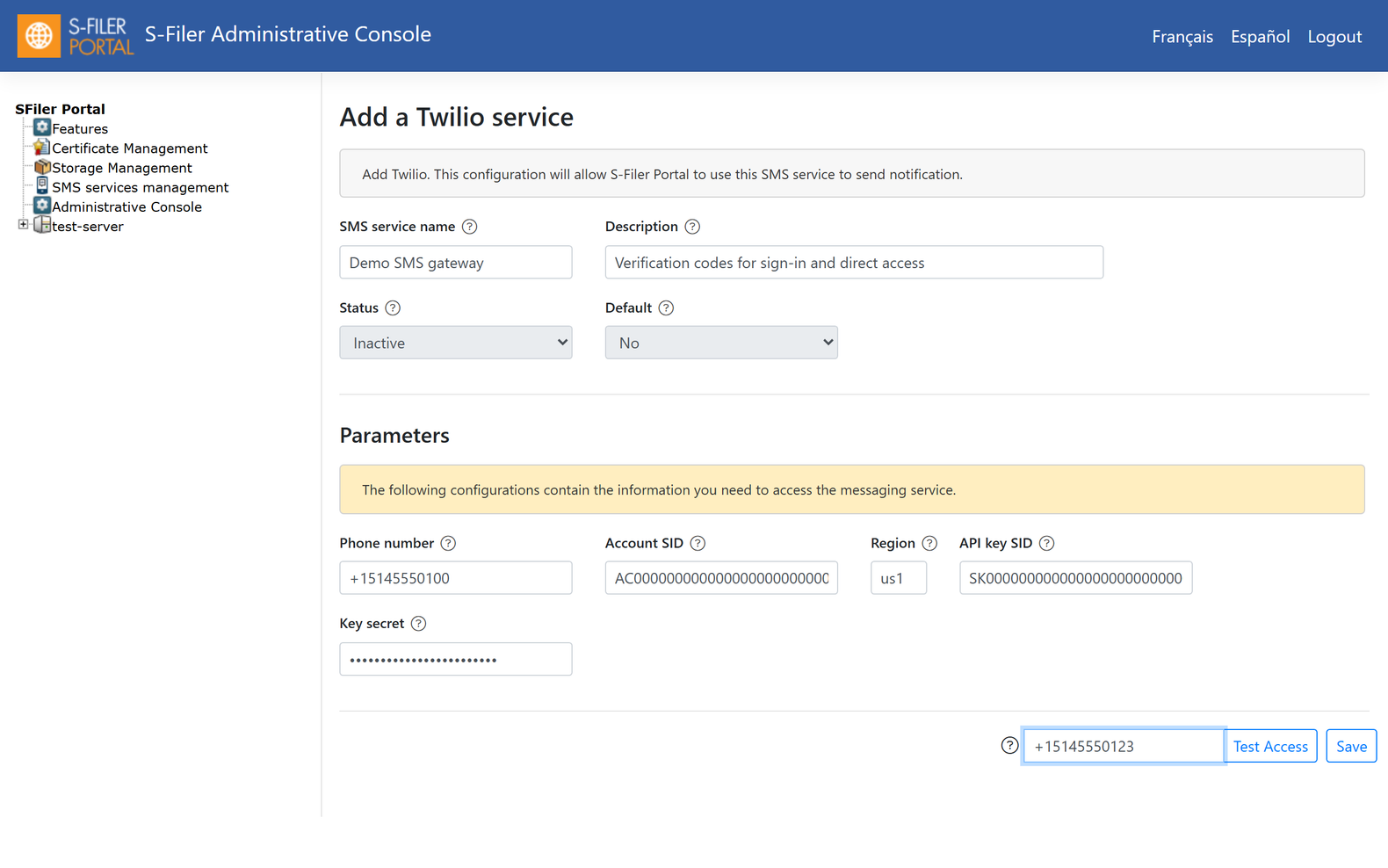
For SMS, S-Filer Portal works with Twilio, AWS SNS and Azure Communication Services. You configure the provider in the administrative console and test it right there.
When a method is retired
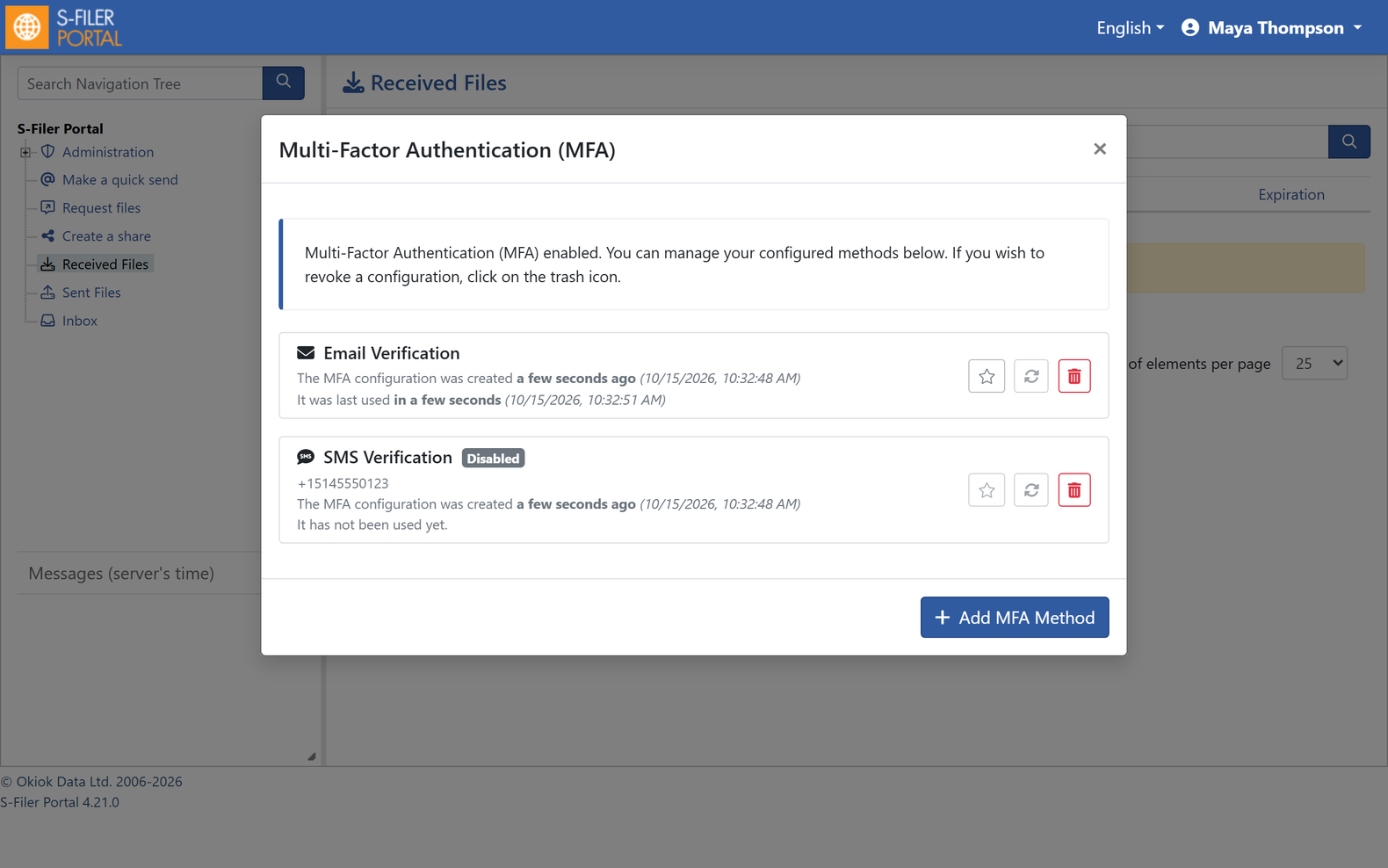
Turn off a method your users already set up, and it stays in their profile marked Disabled. They can no longer use it, and they can remove it. Audit events record each email or SMS method added, removed or started.
Turning it on
Email and SMS codes come with the 4.21 version flag. Then enable the methods you want in MFA Policy, or with set-mfa-methods -email true -sms true. SMS also needs a configured SMS provider.